EasyManua.ls Logo

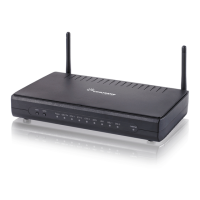
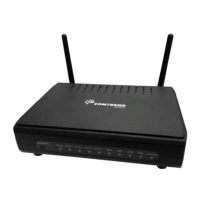
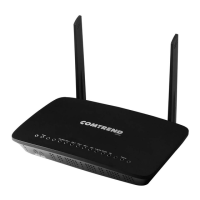
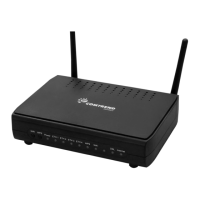
Comtrend Corporation AR-5381u - User Manual

Comtrend Corporation AR-5381u
206 pages
Print Icon
To Next Page IconTo Next Page
Loading...
AR-5381u
ADSL2+ WLAN Router
User Manual
261056-074
Version A2.3, May 9, 2016

Table of Contents

Other manuals for Comtrend Corporation AR-5381u

Question and Answer IconNeed help?

Do you have a question about the Comtrend Corporation AR-5381u and is the answer not in the manual?

Summary

Preface and Safety

Important Safety Instructions

Provides guidelines for safe unpacking, installation, use, and maintenance of the electronic device.

Chapter 2: Installation

Chapter 3: Web User Interface

3.3 Login Procedure

4.2.4 xDSL Statistics

xDSL Testing and Graphing

4.5 DHCP Configuration

5.5 NAT Configuration

5.5.1 Virtual Server Setup

Allows directing incoming traffic from WAN to internal servers by configuring protocol and port mapping.

5.5.2 Port Triggering Configuration

5.6 Security Settings

5.6.1 IP Filtering Rules

Sets filter rules to limit IP traffic (outgoing/incoming) based on various conditions.

5.7 Parental Control

5.8 Quality of Service (QoS)

5.8.1 Queue Management Setup

Enables QoS and allows selection of a Default DSCP Mark for traffic prioritization.

5.9 Routing Configuration

5.10 DNS Configuration

5.11 DSL Settings

Chapter 6: Wireless Settings

6.1 Basic Wireless Configuration

Configures basic wireless LAN interface features like enabling/disabling, hiding SSID, and setting network name.

6.2 Wireless Security

Configuring Wireless Security

Allows configuration of wireless LAN security features using WPS or Manual Setup methods.

6.2.1 WPS Setup

WPS Configuration Steps

Guides on configuring security settings with WPS, enabling WPS and setting the AP mode.

6.3 MAC Filter Configuration

6.5 Advanced Wireless Settings

Chapter 7: Diagnostics

7.2 Fault Management

Chapter 8: Management

8.1 Device Settings Management

Covers Backup Settings, Update Settings, and Restore Default configurations for managing device settings.

8.2 System Log

8.4 TR-069 Client Setup

8.7 Software Update

Firmware Upgrade Procedure

Allows firmware upgrades from a locally stored file, with a process taking about 2 minutes.

Appendix A: Firewall

Stateful Packet Inspection Explained

Refers to an architecture where the firewall tracks packets per connection to ensure validity.

Firewall Filtering Rules

Firewall and NAT Specifications

Appendix D: Connection Setup

D1: Layer 2 Interface Configuration

Explains the two-stage process for creating WAN connections, starting with Layer 2 interfaces.

D2: WAN Connection Setup

D2.1 PPPoE over Ethernet (IPv4)

Step-by-step instructions for configuring PPPoE IPv4 WAN connections.

Appendix E: Printer Server Setup

Summary

Preface and Safety

Important Safety Instructions

Provides guidelines for safe unpacking, installation, use, and maintenance of the electronic device.

Chapter 2: Installation

Chapter 3: Web User Interface

3.3 Login Procedure

4.2.4 xDSL Statistics

xDSL Testing and Graphing

4.5 DHCP Configuration

5.5 NAT Configuration

5.5.1 Virtual Server Setup

Allows directing incoming traffic from WAN to internal servers by configuring protocol and port mapping.

5.5.2 Port Triggering Configuration

5.6 Security Settings

5.6.1 IP Filtering Rules

Sets filter rules to limit IP traffic (outgoing/incoming) based on various conditions.

5.7 Parental Control

5.8 Quality of Service (QoS)

5.8.1 Queue Management Setup

Enables QoS and allows selection of a Default DSCP Mark for traffic prioritization.

5.9 Routing Configuration

5.10 DNS Configuration

5.11 DSL Settings

Chapter 6: Wireless Settings

6.1 Basic Wireless Configuration

Configures basic wireless LAN interface features like enabling/disabling, hiding SSID, and setting network name.

6.2 Wireless Security

Configuring Wireless Security

Allows configuration of wireless LAN security features using WPS or Manual Setup methods.

6.2.1 WPS Setup

WPS Configuration Steps

Guides on configuring security settings with WPS, enabling WPS and setting the AP mode.

6.3 MAC Filter Configuration

6.5 Advanced Wireless Settings

Chapter 7: Diagnostics

7.2 Fault Management

Chapter 8: Management

8.1 Device Settings Management

Covers Backup Settings, Update Settings, and Restore Default configurations for managing device settings.

8.2 System Log

8.4 TR-069 Client Setup

8.7 Software Update

Firmware Upgrade Procedure

Allows firmware upgrades from a locally stored file, with a process taking about 2 minutes.

Appendix A: Firewall

Stateful Packet Inspection Explained

Refers to an architecture where the firewall tracks packets per connection to ensure validity.

Firewall Filtering Rules

Firewall and NAT Specifications

Appendix D: Connection Setup

D1: Layer 2 Interface Configuration

Explains the two-stage process for creating WAN connections, starting with Layer 2 interfaces.

D2: WAN Connection Setup

D2.1 PPPoE over Ethernet (IPv4)

Step-by-step instructions for configuring PPPoE IPv4 WAN connections.

Appendix E: Printer Server Setup

Comtrend Corporation AR-5381u Specifications

General IconGeneral
BrandComtrend Corporation
ModelAR-5381u
CategoryNetwork Router
LanguageEnglish

Related product manuals