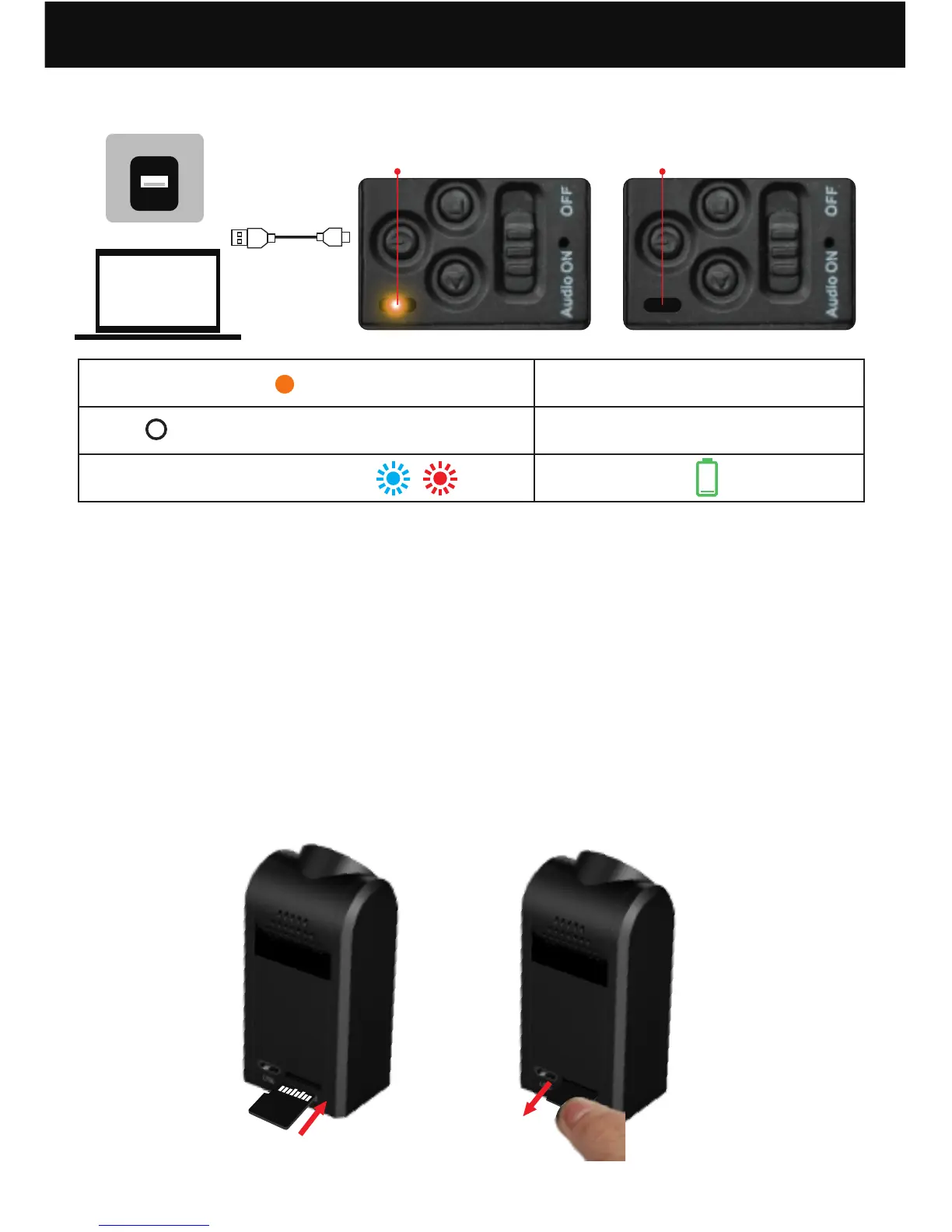
installing the microSD card Removing the micro SD card
Before Using Your Conbrov T11 Camera
1. Charging your camera
(1) The camera power must be off before charging.
(2) Plug the USB cable both in the camera and in
a computer USB port or a 5V/1A adaptor (not
included). The yellow LED is on while charging.
The charge time is about three to four hours.
(3) The yellow LED turns off when the camera is
fully charged.
8
Yellow indicator Off
Steady yellow
Off
Flashing blue and red
Charging
Fully charged
Low power
2. Installing the microSD card


 To Next Page