2S power on
Before Using Your Conbrov T33 Camera
3. Set Parameters
.
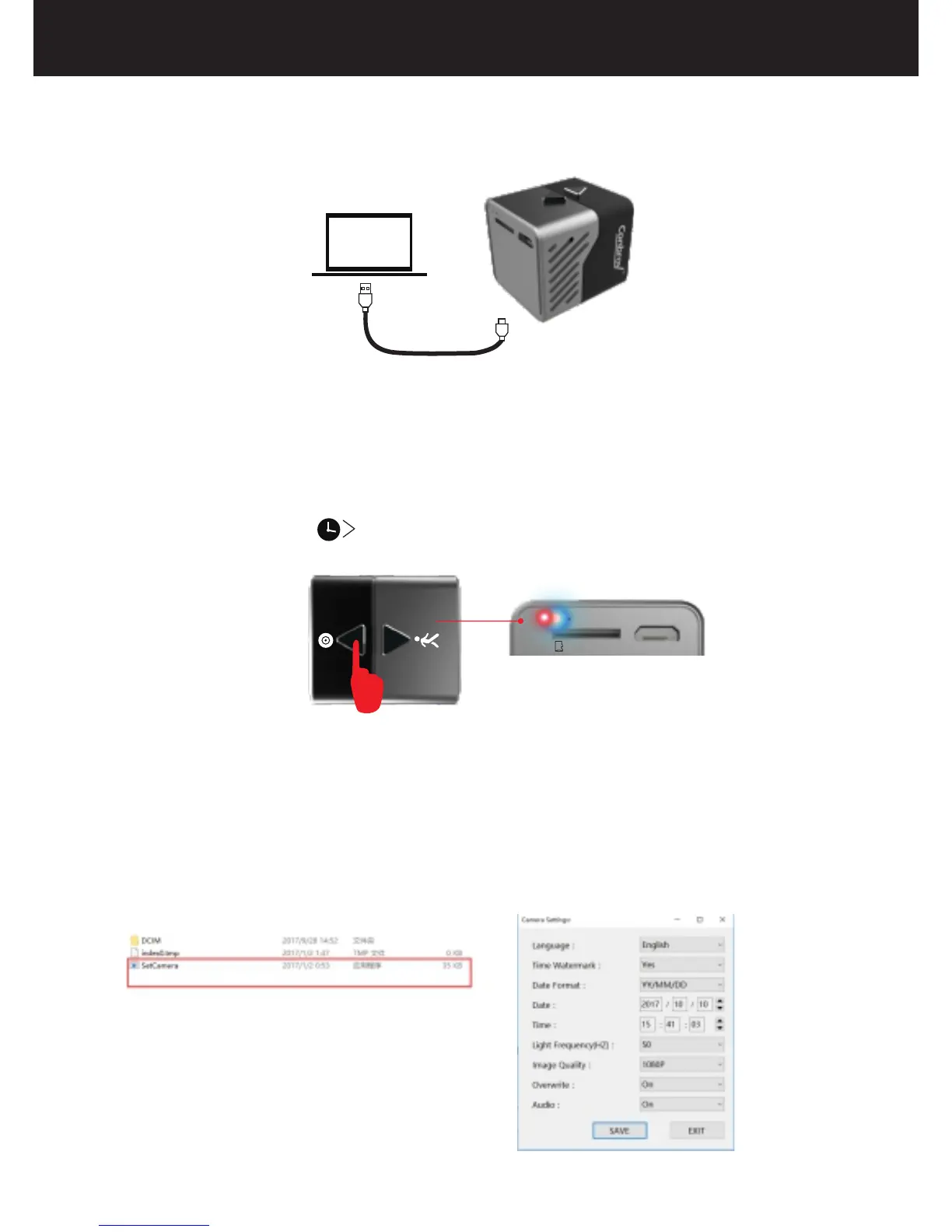
(2)Press and hold the button for 2 seconds, the blue light
stays on and the red light flashes, which indicates the
camera enters into the reading tray mode and the disc
icon will appear on your computer.
9
(1)Connect the camera to PC with the included USB cable.
(3)Open the removable disk, you can see "SetCamera"file,
double-click the “SetCamera” file, and then you can see
some related parameters including Language, Time
Watermark, Date Format, Date, Time, Light Frequency,
Image Quality, Overwrite and Audio.
Micro-SD USB



 To Next Page