Before Using Your Conbrov T33 Camera
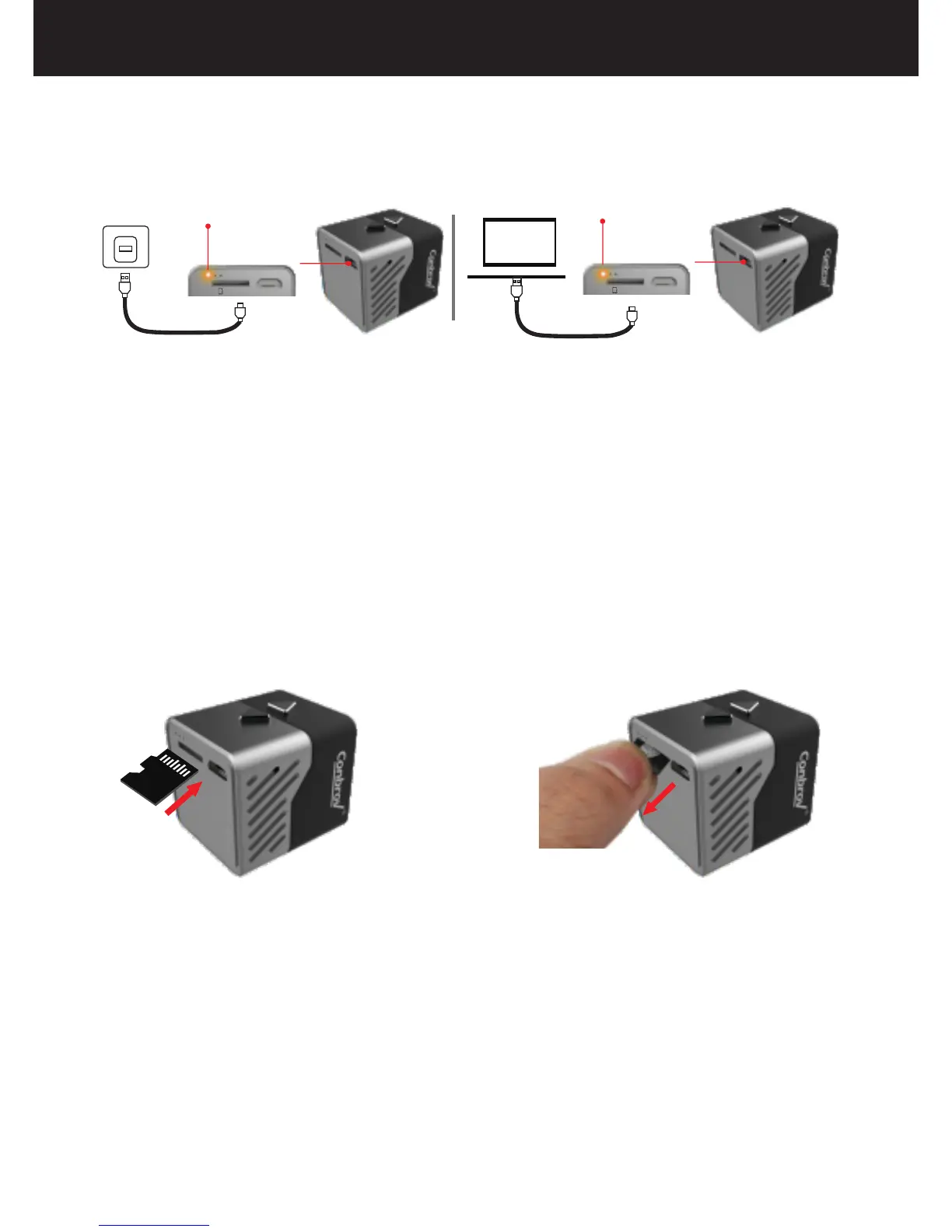
1. Charging your camera
Please refer to the picture above to insert the micro SD card
into the slot. Pay attention to the direction, as the micro SD
card only goes in one way. When inserting the micro SD
card, you need to press it until you hear a click sound.
.
Insert the micro SD card
Remove the micro SD card
2. Install the micro SD card
8
(1) Plug the USB cable both in the camera and in a 5V
adaptor or a computer USB port.While charging, the LED
light stays on yellow.
(2) The yellow LED goes off when the camera is fully
charged.
Yellow indicator
Yellow indicator
(with the contacts facing up)
Micro-SD USB
Micro-SD USB



 To Next Page