Micro-SD USB
How to Use Your Conbrov T33 Camera
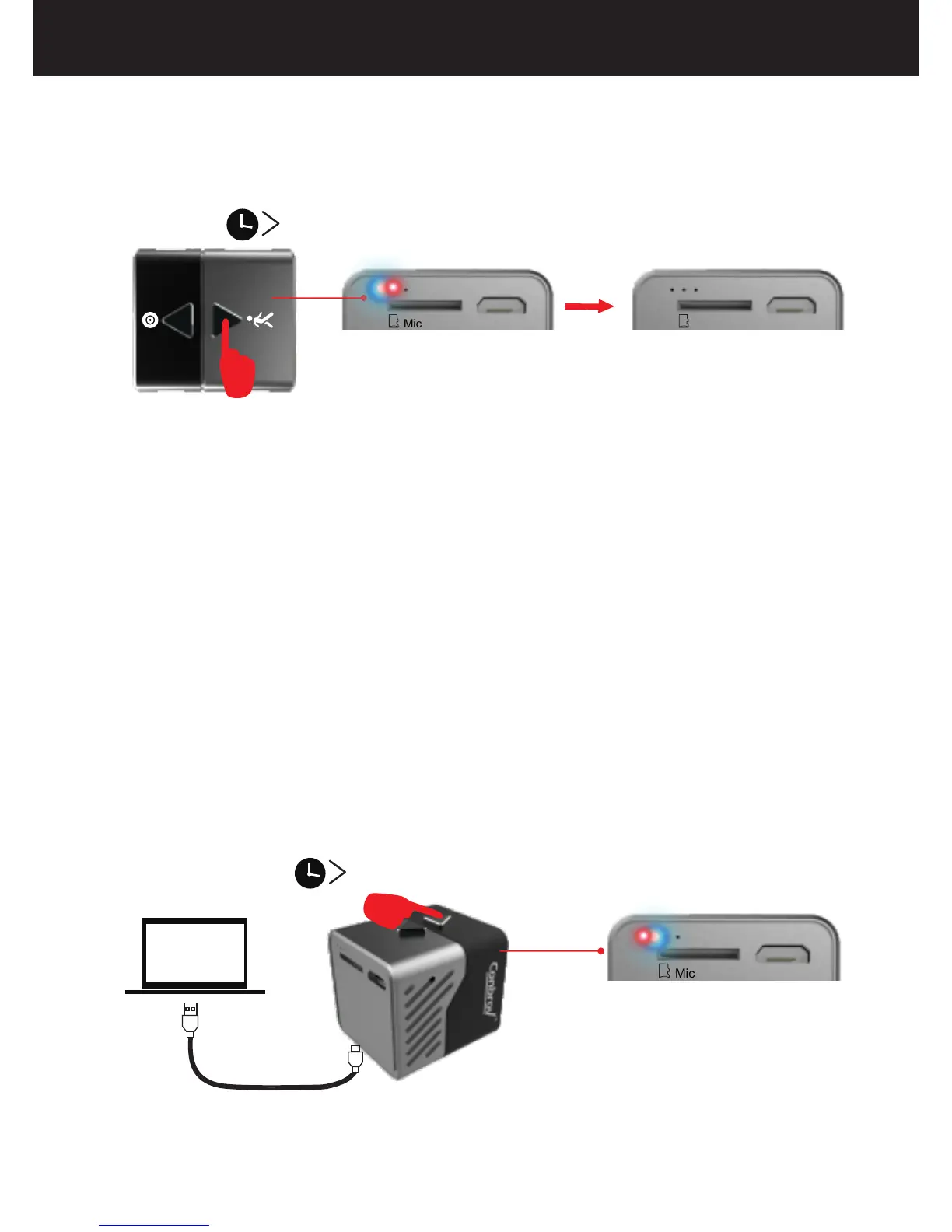
(1) Connect the camera to PC via the included USB cable.
(2) Press and hold the button for 2 seconds, the LED
flashes blue continuously, which means the camera
enters into reading tray mode. The disk icon will
appear on your computer, then open the removable disk.
4.How to Read Disk
13
2S
(2) Press and hold the button for 2 seconds, the LED
flashes red and blue alternately and then goes off, and
the device will save the video in the micro SD card and
then turn off.
3.How to Switch into Night Vision Mode
During recording , ambient light brightness is lower than
10LUX, the camera will automatically switch into night
vision and the video is black and white.
Micro-SD USB
2S
Micro-SD USB



 To Next Page