Micro-SD USB
1
2S
Part2: Quick Guide
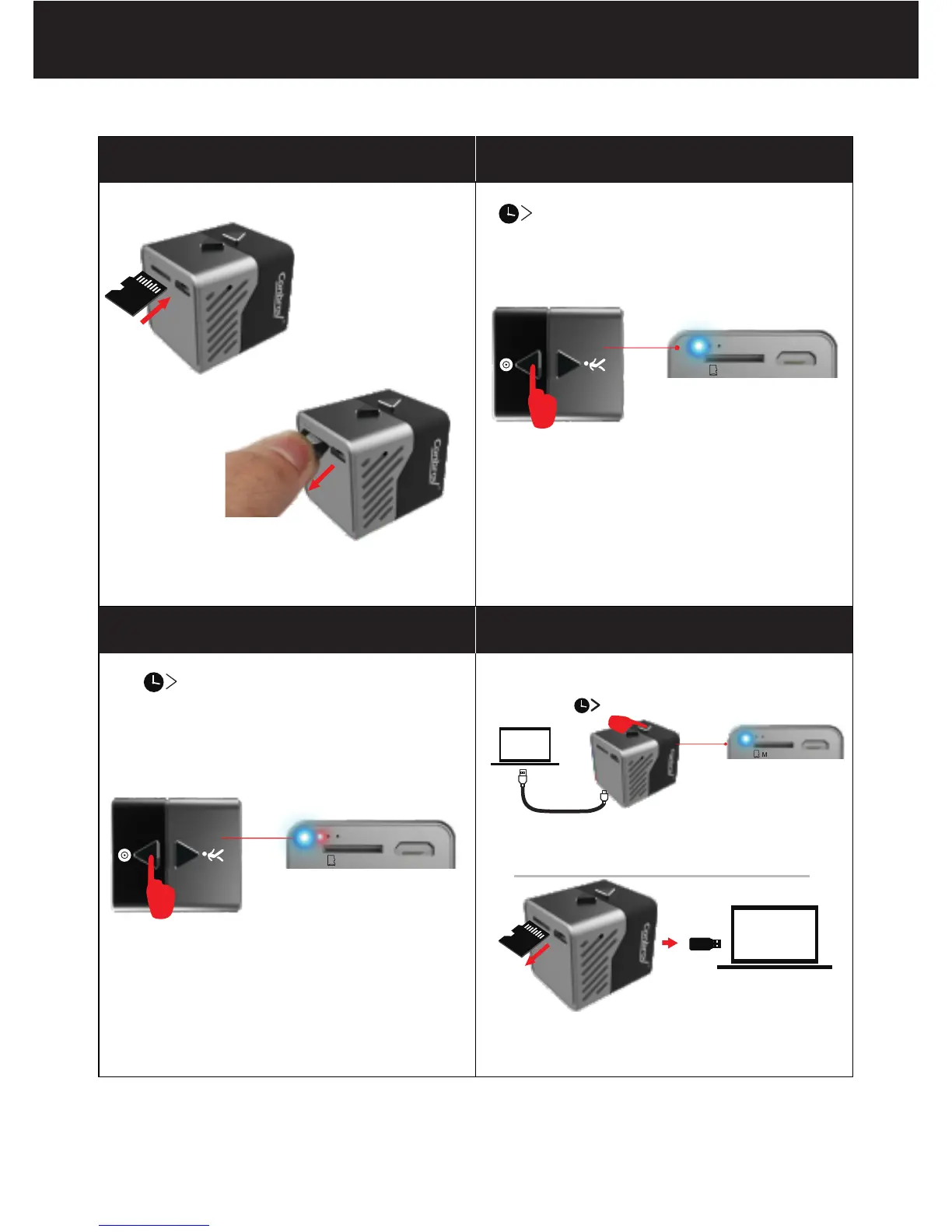
A. Install the microSD card
B.Turn on and record
C. Turn off and save the video
D.Play the video
If you need to set the video time watermark, please move to Page 10.
3
2S power off
2S power on
2
US B2 .0
ON lights flash blue 3 times, the
camera power on and enter into
manual recording mode.
Install the micro SD card with
contacts facing up
OFF lights flash red and blue
alternately and then goes off,
the video will be saved in the
micro SD card and the camera
turn off.
Micro-SD USB
Micro-SD USB



 To Next Page