AHD HIGH SPEED DOME SERIES USER MANUAL 7
3. Installation: Wall Mount & Pendant Mount
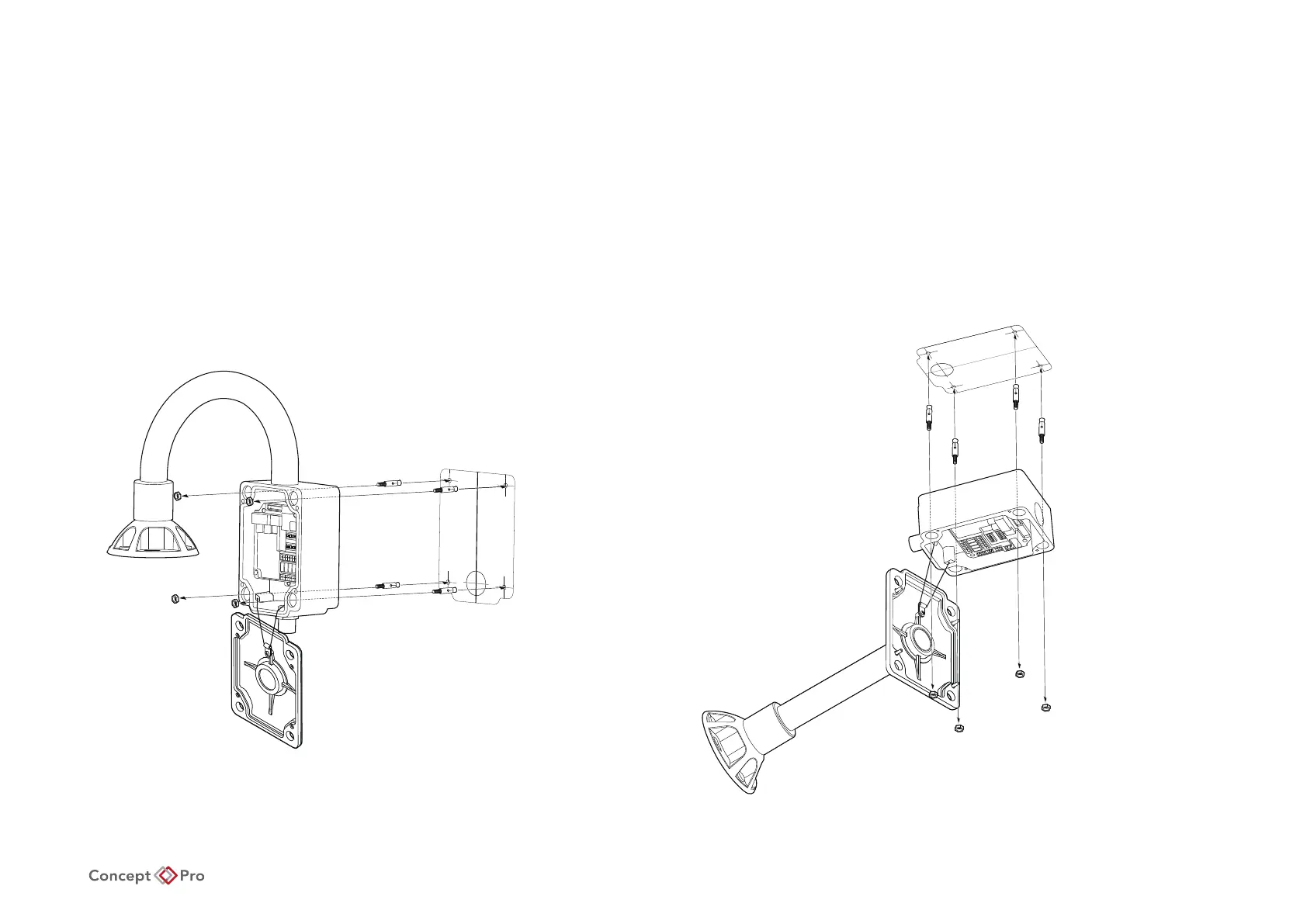
Installation Using Wall/Pendant Mount Bracket
1. Using the mount template, mark the holes on the wall/ceiling.
2. After drilling the holes, x the four anchor bolts into the holes.
3. After locating the wall/ceiling mount bracket on the anchor bolts properly, tighten the nuts on anchor bolts.
Wall Mount Bracket
Installation
Pendant Mount Bracket Installation










 To Next Page