VXH5AHD QUICK START GUIDE
4
AUTOMATIC RECORDING PROFILES
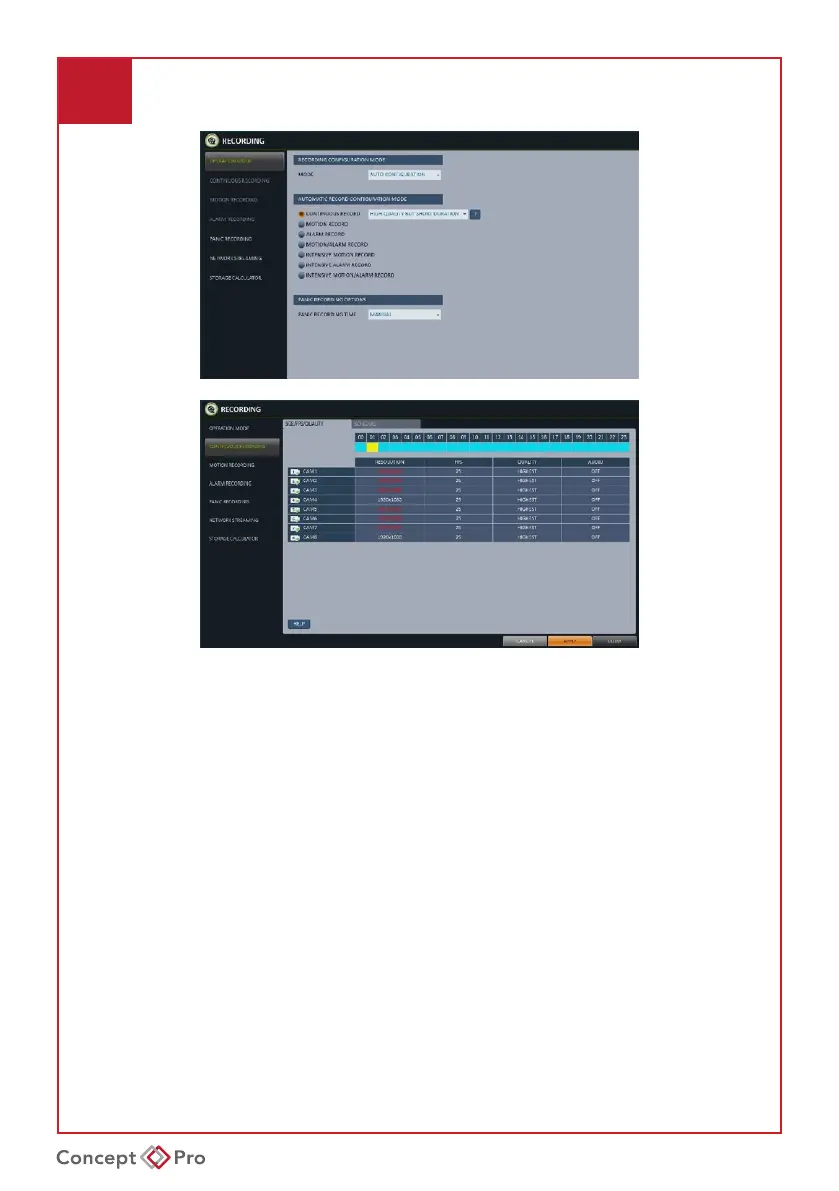
1. Press [MENU] on the remote control and use the direction buttons to select
<RECORD SETUP>, then press [ENTER].
Alternatively, select <MENU> - <RECORD SETUP> from the status bar.
2. Set <RECORD SETUP MODE> to <AUTO CONFIGURATION> and select a desired
recordingprole:
• CONTINUOUS RECORD: Always record video.
• LONG DURATION BUT LOW QUALITY: Record video at a low quality, resulting in a longer recording time.
• HIGH QUALITY BUT SHORT DURATION: Record video at a high quality, but resulting in a shorter recording time.
• MOTION RECORD: Only record video when motion is detected.
• ALARM RECORD: Only record video when an alarm event occurs.
• MOTION/ALARM RECORD: Only record video when motion or alarm events occur.
• INTENSIVE MOTION RECORD: Record continuously at low quality and switch to high quality
when motion events occur.
• INTENSIVE ALARM RECORD: Record continuously at low quality and switch to high quality
when alarm events occur.
• INTENSIVE MOTION/ALARM RECORD: Record continuously at low quality and switch to
high quality when motion or alarm events occur.
3. Click <APPLY>.
Additionally, <MANUAL CONFIGURATION> may be selected for a customised
recordingproleandschedule.



 To Next Page