VXH5AHD QUICK START GUIDE
5
SEARCHING RECORDED VIDEO
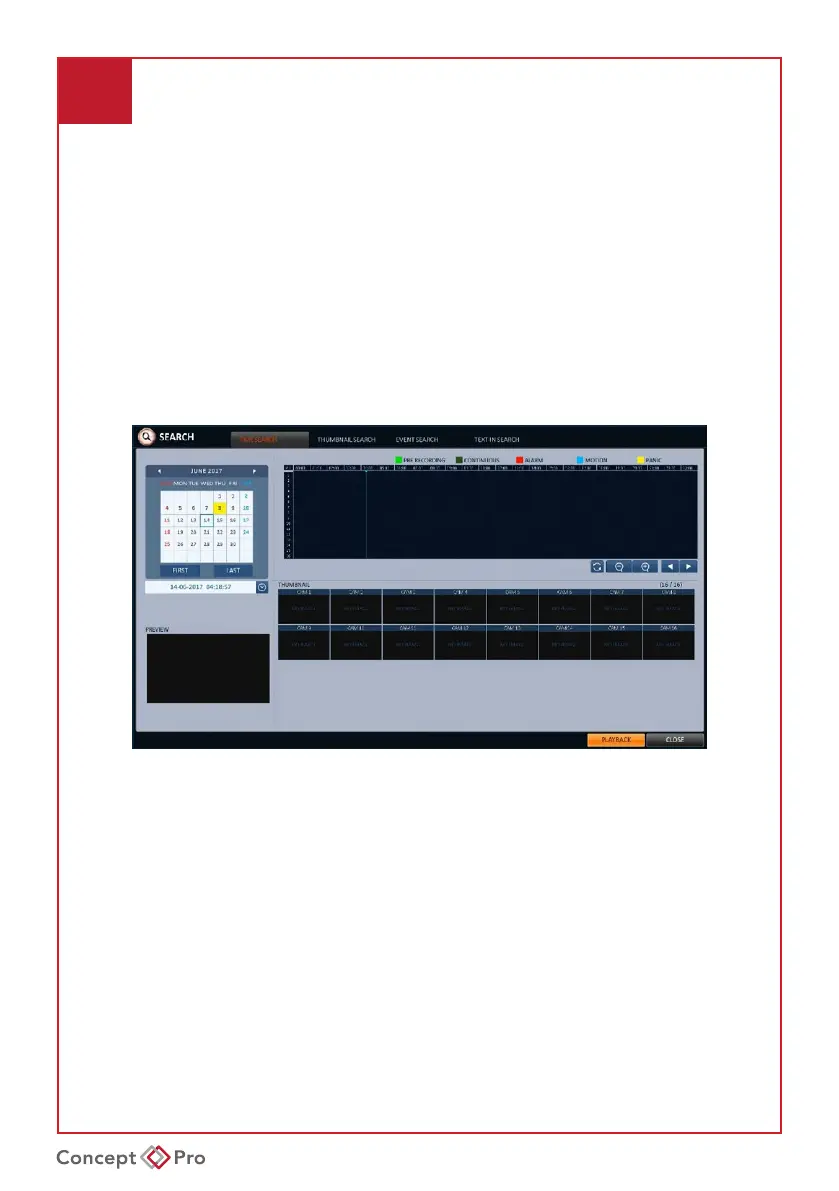
1. From the <SEARCH> menu, select <TIME SEARCH>.
2. Specify the date and time from the calendar.
3. Identify the type of recording data by the colour in the bar.
• Light Green: Pre-Recording
• Green: Continuous Recording
• Blue: Motion Recording
• Red: Alarm Recording
• Yellow: Panic Recording
4. Click to move to a desired start time in the time bar or use the buttons on the bottom
of the status bar to search.
5. Select an item and click <PLAYBACK>.Other search options include Thumbnail
Search, Event Search, and Text-in Search.



 To Next Page