VXH5AHD QUICK START GUIDE
3
GETTING STARTED
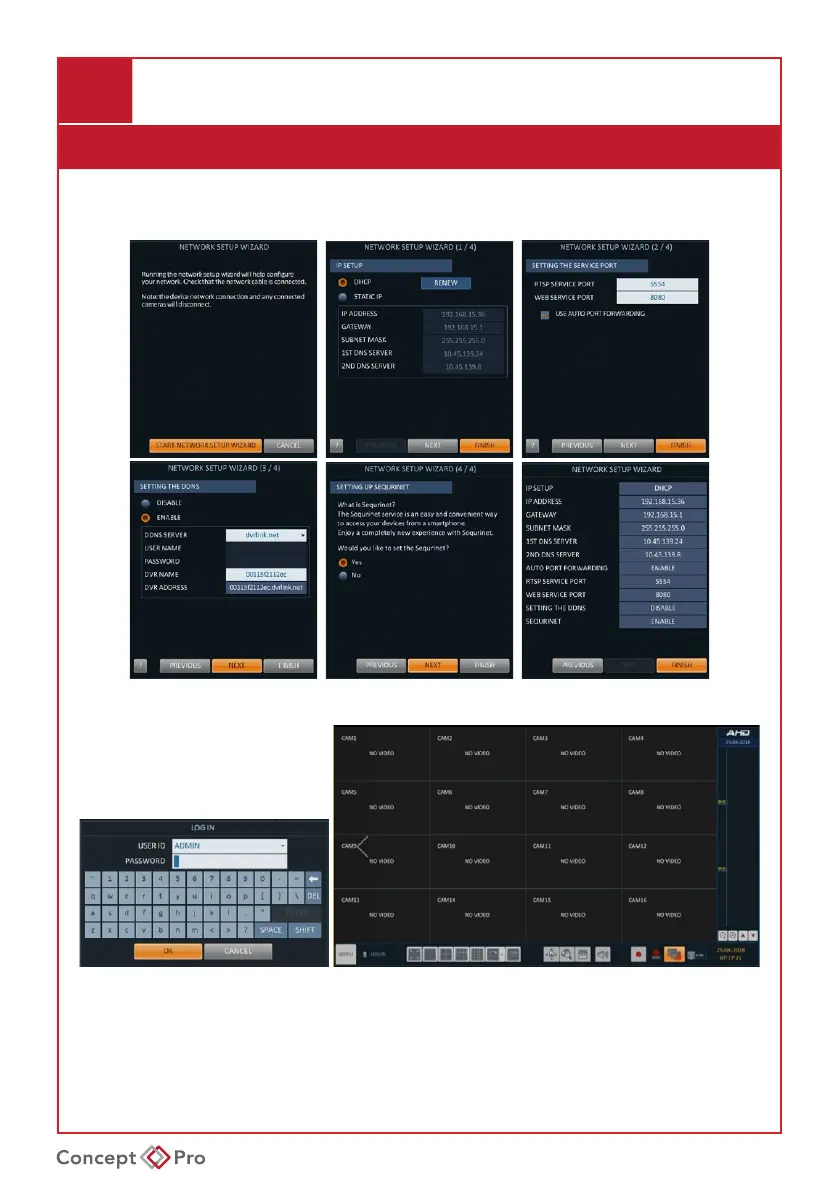
Network Setup Wizard
TheNetworkSetupWizardwillhelpcongureimportantnetworksettingswhenthedevice
isrstbootedup.
Log in
1. The log-in screen will appear after the system boots up.
2. Select a user ID and enter the corresponding password.
The default user ID is “ADMIN” and the default password is “1234”.
3. Click <OK>.
For security purposes, please change the password to a more complex, secure password after logging
inthersttimefrom<MENU> - <SYSTEM SETUP> - <USER> - <USER MANAGEMENT>



 To Next Page