5
TIMER
ON/OFF DISPLAY
DOWN UP
CLEAR
CLOSE
SETS
REPS
RECALL
MAX
WATTS
WORK
VEL
LOAD
HR
OK
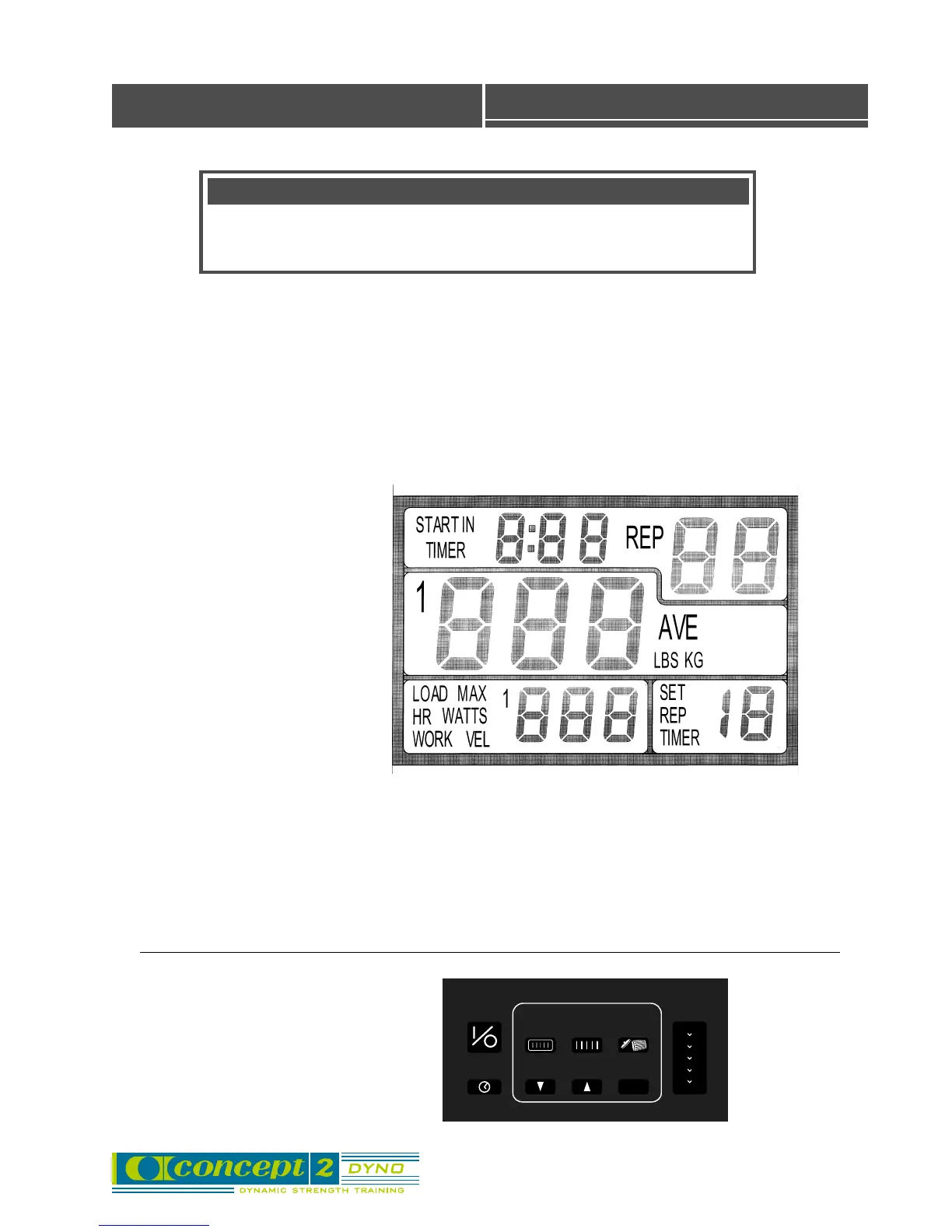
View of Force Monitor
Button Panel
Top left:
This display counts down the warm-up reps. When you start,
you will see: START IN 3 REP. If the set/rest time is turned on
by pressing the TIMER button, this display will show the
elapsed time for the set, then the elapsed time for the rest.
FORCE MONITOR Use
Top right:
After the warm-up, this display shows
how many reps you have done. For
example, it will show REP 5 when you
have completed your fifth rep.
Center:
• During each set: This display shows
the force exerted on the rep just
completed. 140 LBS means you have
generated an average force of 140 lbs
over the entire range of the “lift” just
completed. You may choose between
units of LBS or KG.
• After each set: Ten seconds after the
last rep is completed, this display will
change to show the average of all the
reps in the set.
Lower right:
• During each set, this display shows
the REP TIMER, which counts the
elapsed time since the completion of
the last rep.
• After each set: This display shows the
number of completed sets.
Lower left:
This display shows your maximum force for the
set. You may choose between units of LBS or KG.
You may also choose to view other data in this
display, including power (watts), heart rate, work
(newton-meters), load, and velocity (mm/sec).
▲
▲
▲
▲
▲
Description of Display
Terminology
• Rep - short for repetition. Each press or pull that you do is one rep.
• Set - a group of reps is called a set.



 To Next Page