7
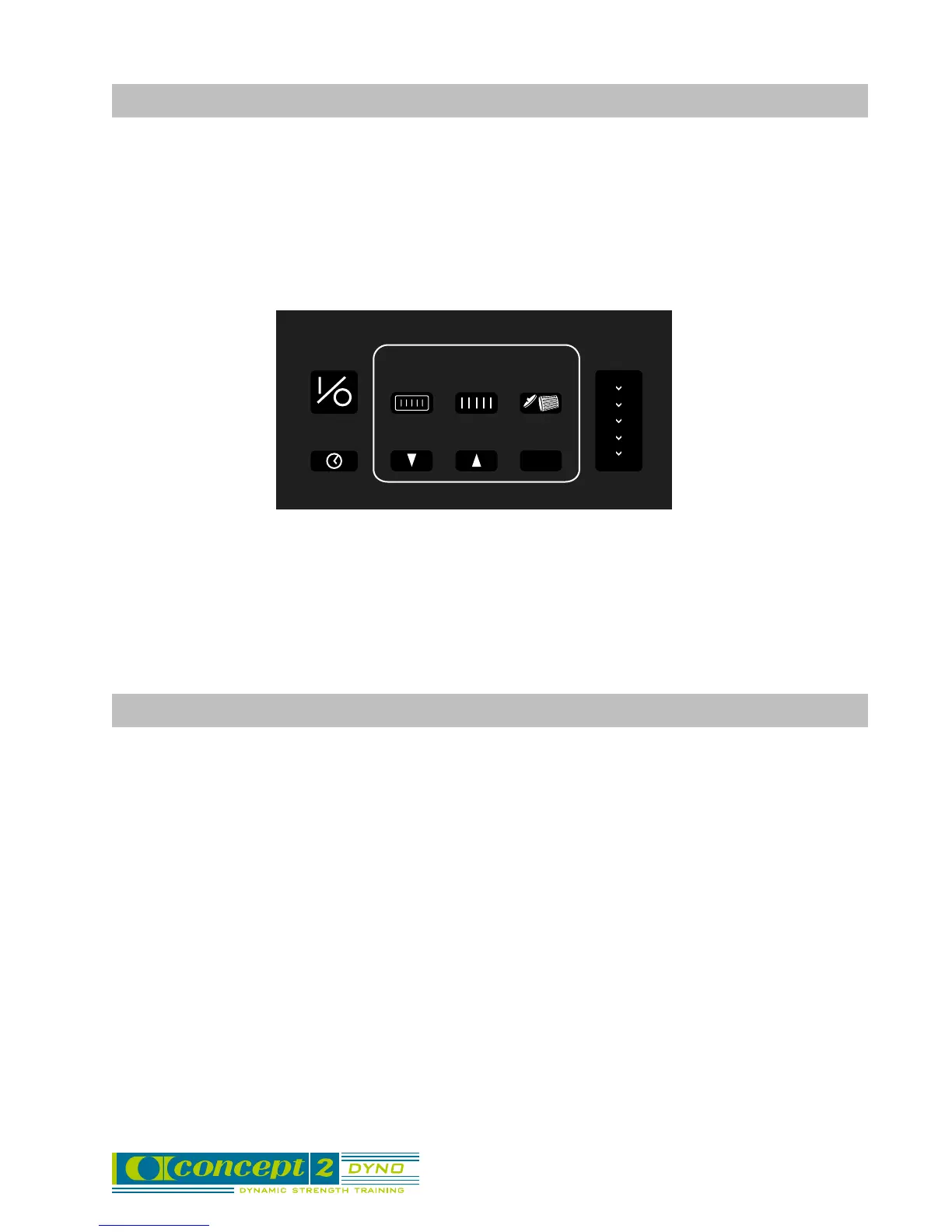
Advanced Operation Button Functions
TIMER
ON/OFF DISPLAY
DOWN UP
CLEAR
CLOSE
SETS
REPS
RECALL
MAX
WATTS
WORK
VEL
LOAD
HR
OK
OK - allows you to
get out of
memory mode
without clearing
data. Also used in
button second
functions.
ON/ OFF - turns Force
Monitor on or off; resets
monitor after using
recall or other second
level functions.
TIMER - turns on and
off the set/rest timer,
in the top left display.
DISPLAY - changes the
information in the lower left
display. You can choose
between watts, work, load,
velocity, and heart rate for
the units to be displayed for
the current rep (not the max
rep).
When you are in recall
mode, the DISPLAY button
will allow you to review a
past workout in all the
available display options (for
the set summary screens
only). No secondary
outputs will be saved for the
individual rep recall.
REPS - puts
the monitor
into recall
mode and
displays the
data for the last
rep of the last
set done.
SETS - puts the
monitor into recall
mode and displays
the set summary
data for the last set
done.
CLEAR -
removes all data
from memory if
pressed while in
Recall mode,
and returns the
monitor to a
reset/on state.
DOWN - moves
backward
through reps or
sets when in
recall mode.
UP - moves
forward
through reps
or sets when
in recall
mode.
Recall Mode Features
• RECALL enables you to save up to 19 set summary screens and over 300 rep screens.
• When either limit is reached, the oldest data will be dropped first.
• Workout data is stored as reps within sets. Example: set 1 (rep 1, rep 2,...) set 2 (rep 1,
rep 2,...)
• After the CLEAR button is pressed, the first set completed will be set 1.
• The memory will save all sets and reps during power down, but will be automatically
cleared before rep 1 of the first set after a full power-down. (A full power-down occurs
when the dash in lower right hand display completely disappears).
• The first set to be recalled will be the most recently completed set.
NOTE: If a new user starts to work out, their sets will just be added to memory. i.e. their first set
may be set 17 if they have not cleared memory.
▲▲
▲▲
▲
▲▲▲
▲



 To Next Page