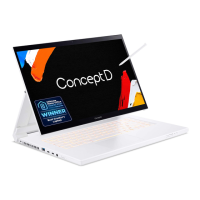
Need help?
Do you have a question about the conceptD 3 Ezel and is the answer not in the manual?
Information on setup guides for the notebook.
General advice on maintaining and caring for the computer.
Precautions and best practices for using the battery safely.
Details on the computer's screen and its components.
Description of the keyboard layout and its keys.
Identification of ports and controls on the left side of the notebook.
Identification of ports and controls on the right side of the notebook.
Explanation of Caps Lock and Num Lock key functions.
Description of keys that activate special functions.
Guide to activating hotkeys using the Fn key combinations.
Information on the rapid charging capabilities of the stylus.
Instructions on how to properly insert and remove the stylus.
Guidance for new users on Windows operating system features.
Procedure for checking and installing Windows updates.
Descriptions of various touchpad gestures and their functions.
Instructions for customizing touchpad sensitivity and behavior.
Steps to create a backup of your files and data.
Methods for restoring the computer to a previous state.
Guide to resetting the PC while preserving personal files.
Procedure for pairing and connecting Bluetooth devices.
Instructions for connecting to a Wi-Fi network.
Guide for establishing an internet connection using an Ethernet cable.
How to select and adjust screen color profiles.
Explanation of different performance modes for the laptop.
Syncing and changing color profiles with external monitors.
Setting up Supervisor, User, and Boot passwords for security.
Process of entering passwords for system access.
Steps to configure and use the fingerprint reader for sign-in.
How to set Supervisor and Boot passwords in the BIOS.
Tips and settings to conserve the computer's power.
Procedure for charging the laptop's battery.
Strategies to maximize the battery's operational duration.
Actions to take when the battery power is low.
Tips for moving the computer within short or long distances.
Recommendations on items to carry when traveling with the computer.
Connecting multiple displays via the Thunderbolt 4 port.
Instructions for connecting an external monitor.
Connecting audio devices like headphones and microphones.
Troubleshooting steps for a computer that won't power on.
Solutions for a blank screen issue.
Troubleshooting steps for audio issues.
Steps to diagnose and fix keyboard unresponsiveness.
Information to prepare before contacting Acer support.
List of common error messages and their corrective actions.
Importance of protecting the computer from online threats.
Guidance on selecting an ISP for internet connection.
Using security software like Norton Security for protection.
Identifying and avoiding phishing emails.
 General
| Display Size | 14 inches |
|---|---|
| Graphics | NVIDIA GeForce GTX 1650 |
| RAM | 16 GB |
| Operating System | Windows 10 Pro |
| Display Type | IPS |
| Resolution | 1920 x 1080 |
| Storage | SSD |
| Weight | 1.68 kg |
| Battery | 4-cell |
| Dimensions | 17.9 mm |

 To Next Page