14 - Your ConceptD notebook tour
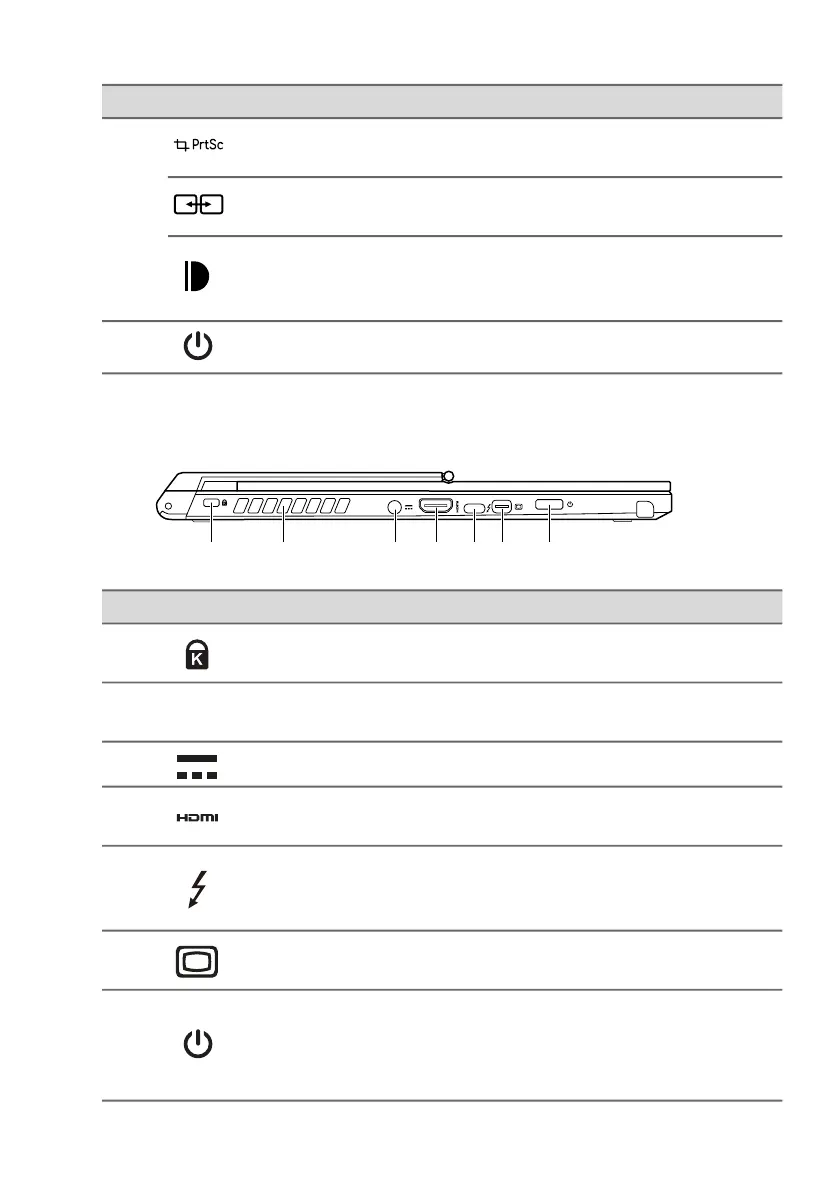
Left view
4
Snipping tool
key
Snips a rectangle, freeform, window
or full screen to your clipboard.
Swapping app
key
Switches to current and previous
windows quickly.
ConceptD key
Opens the Color Picker window
(Default). You can change the setting
in the ConceptD Palette application.
5 Power button Turns the computer on and off.
# Icon Item Description
# Icon Item Description
1
Kensington lock
slot
Connects to a Kensington-compatible
security lock.
2
Ventilation and
cooling fan
Allows the computer to stay cool.
Do not cover or obstruct the openings.
3 DC-in jack Connects to an AC adapter.
4 HDMI port
Supports high-definition digital video
connections.
5
USB Type-C /
Thunderbolt 4
port
Connects to USB devices with a USB
Type-C
connector.
Supports Thunderbolt
™
4 and displays.
6 Mini DisplayPort
Connects to an external display
device.
7
Power button
with fingerprint
reader
Press to turn the computer on and
off.
Touch lightly to use fingerprint reader
for Windows Hello and security.


 To Next Page