ENGLISH
7
3. Formatting your harddisk
When the harddisk in your CHD3SU is not formatted, or you want to format it again, you can follow the
format instructions below.
Note :
The format instructions below are based on Windows Vista. When formatting in a different version
of Windows, the steps below can vary.
• Click on the “Start” button and select “All Programs”, “Accessories”, “Run”.
• Enter the command “diskmgmt.msc” (without the quotes) and click “OK” to run the command.
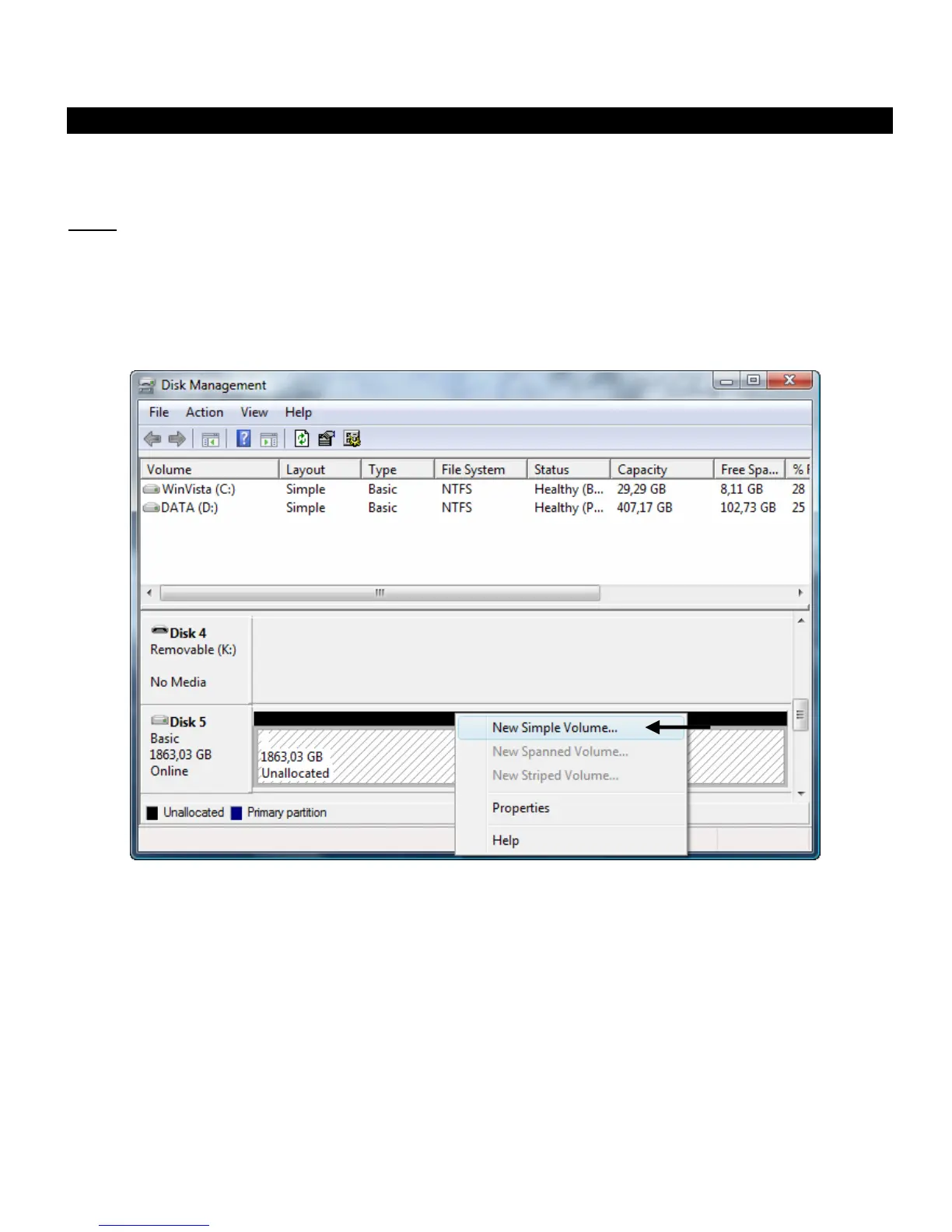
The Disk Management tool of Windows will appear on your screen.
• Select your new harddisk (with unallocated disk space) from the bottom section of the list.
• Right click your new harddisk and select “New Simple Volume”.



 To Next Page