ENGLISH
32
7. Setup Menu
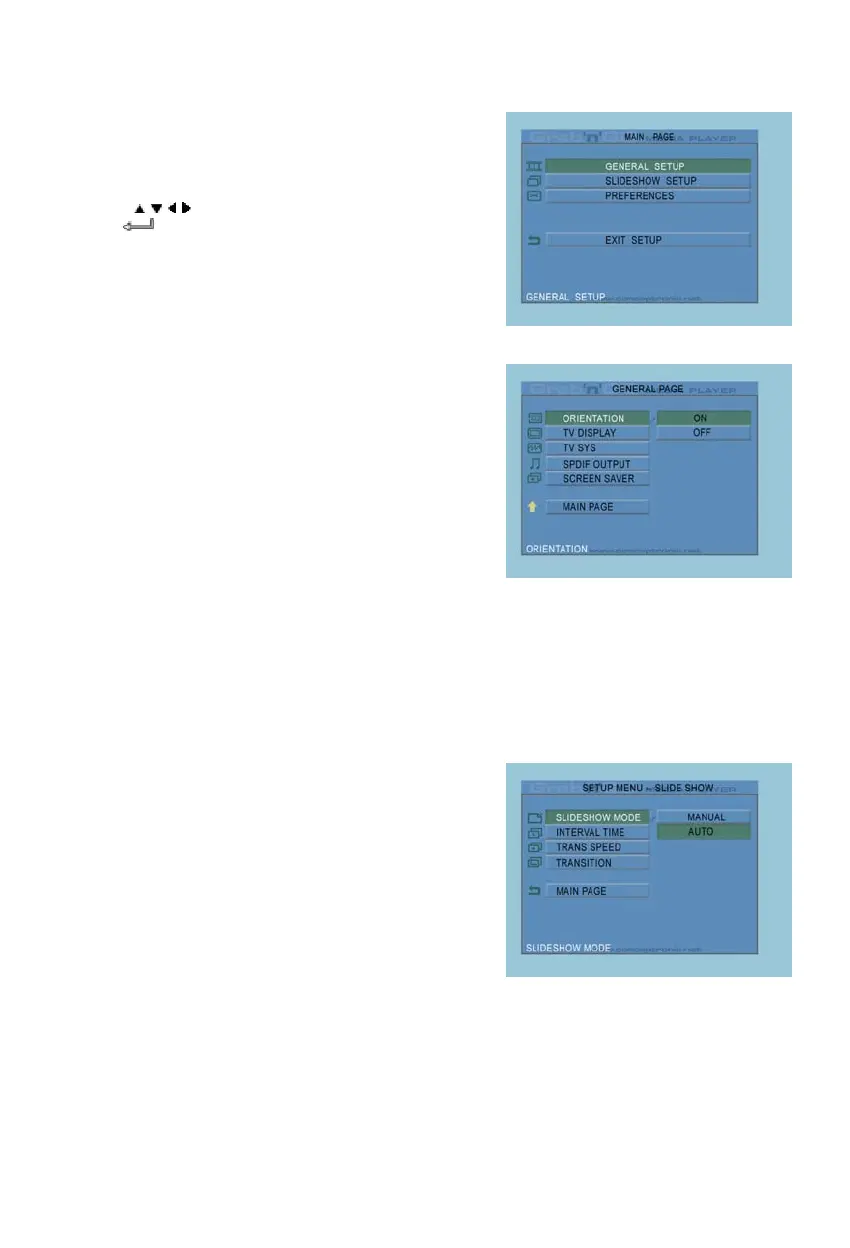
In stop state, press SETUP button to enter
SETUP MENU.
Press
/ / / button to move cursor, and press
the
/ ENTER button to confirm selection,
press SETUP button when finished.
7.1 General setup
• ORIENTATION: keep rotation information.
Options: ON, OFF
Default: ON
• TV DISPLAY
Options: NORMAL/PS, NORMAL/LB, WIDE
Default: NORMAL/PS
• TV SYS: Select a video system.
Options: MULTI. SYSTEM, NTSC, PAL
Default: MULTI. SYSTEM
• SPDIF OUTPUT
Options: OFF, SPDIF/RAW, SPDIF/PCM
Default: OFF
• SCREEN SAVER: start the screen saver;
the screen saver image appears when the unit
stops or the image is frozen for a few minutes.
This saver can keep the screen from being damaged.
Options: ON, OFF
Default: ON
7.2 Slideshow setup
• SLIDESHOW MODE
Options: MANUAL; AUTO
Default: AUTO
• INTERVAL TIME: select the
interval time between two photos.
Options: ONE SECOND, THREE
SECONDS, FIVE SECONDS,
TEN SECONDS
Default: THREE SECONDS
• TRANS SPEED
Options: FAST, SLOW
Default: FAST
• TRANSITION
Options: FULL SCREEN, RANDOM, TOP– >BOTTOM, BOTTOM– >TOP, T/B– >CENTER, CENTER ->
T/B, BLIND: T– >B, LEFT– >RIGHT, RIGHT– >LEFT, L/R– >CENTER, CENTER– >L/R, IMPLODE,
BLIND: L– >R, CROSS FADE
Default: RANDOM



 To Next Page