11.0
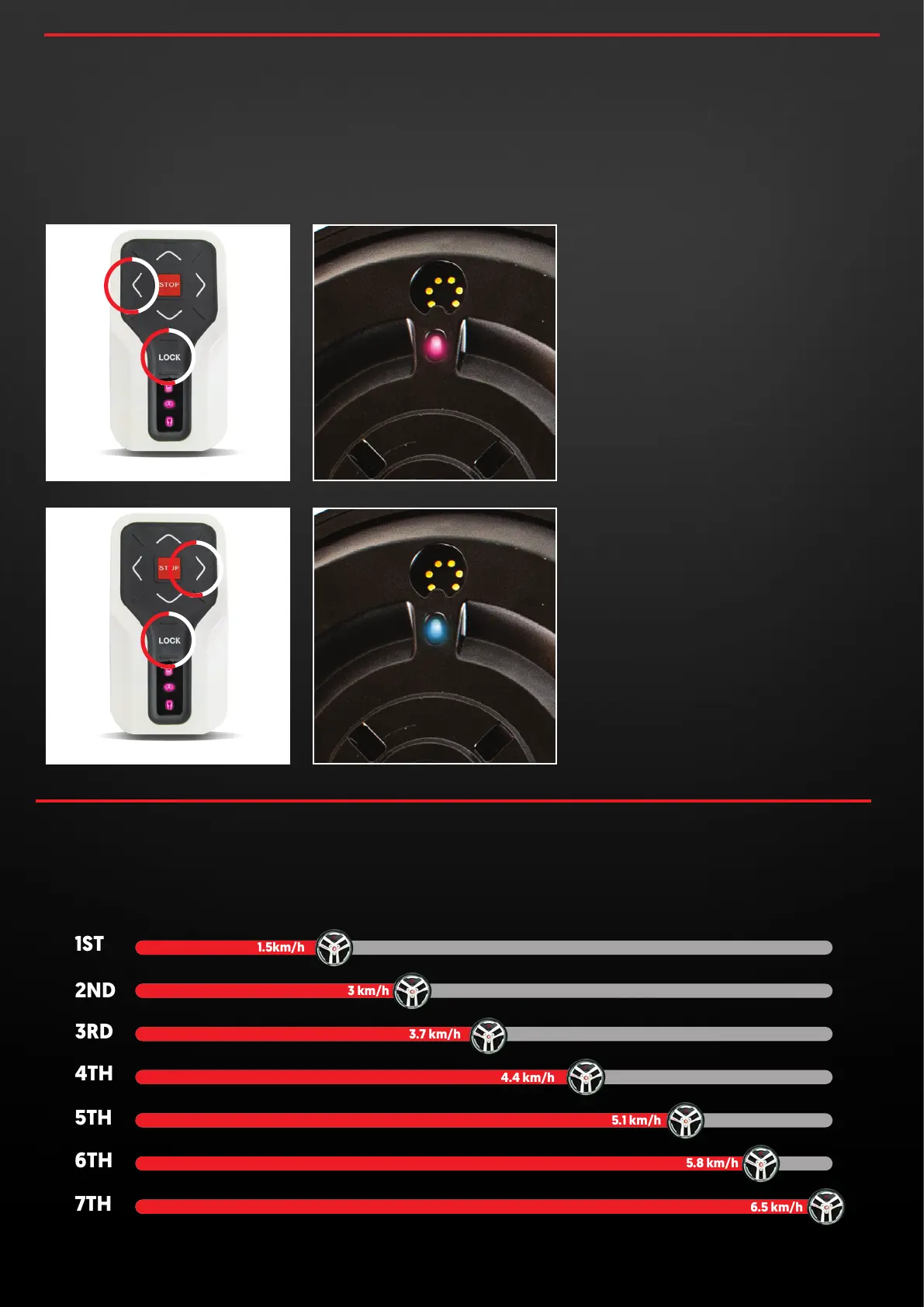
OPERATING SPEEDS
10.0
OPTIMISED TURNING
FOR SWIVEL OR FIXED FRONT WHEELS
We have optimised the turning characteristics via two different
modes. One for buggies with a swivel front wheel and one for
buggies with a fixed front wheel. The modes can be set
following the instructions below.
Hold down the LEFT and LOCK buttons on
the remote while the wheels are in SLEEP
mode until you see PINK LEDS on the
remote. The wheels will flash a PINK LED
when the have switched and then the
wheels and remote will go back to sleep.
While using the wheels, the GREEN LED on
the wheels will flash once every two
seconds to indicate the wheels are in the
swivel mode.
SWIVEL MODE
Hold down the RIGHT and LOCK buttons
on the remote while the wheels are in
SLEEP mode until you see PINK LEDS on the
remote. The wheels will flash a BLUE LED
when the have switched and then the
wheels and remote will go back to sleep.
While using the wheels, the GREEN LED on
the wheels will flash once every few
seconds to indicate the wheels are in the
fixed mode.
FIXED MODE
The Smart Wheels have 7 forward operating speeds to suit your
preferred walking pace. You may press the forward button
sequentially to reach your desired speed, or hold it down until
you reach your desired speed.
concoursegolf.com
16
User Instruction Manual | Version 7.0


 To Next Page