UNIWORLD Series M/UNIWORLD-M/E ed. 01 2020
WWW.CONFLOW.IT Page 21
3.12.1 – AUTOMATIC COMMISSIONING
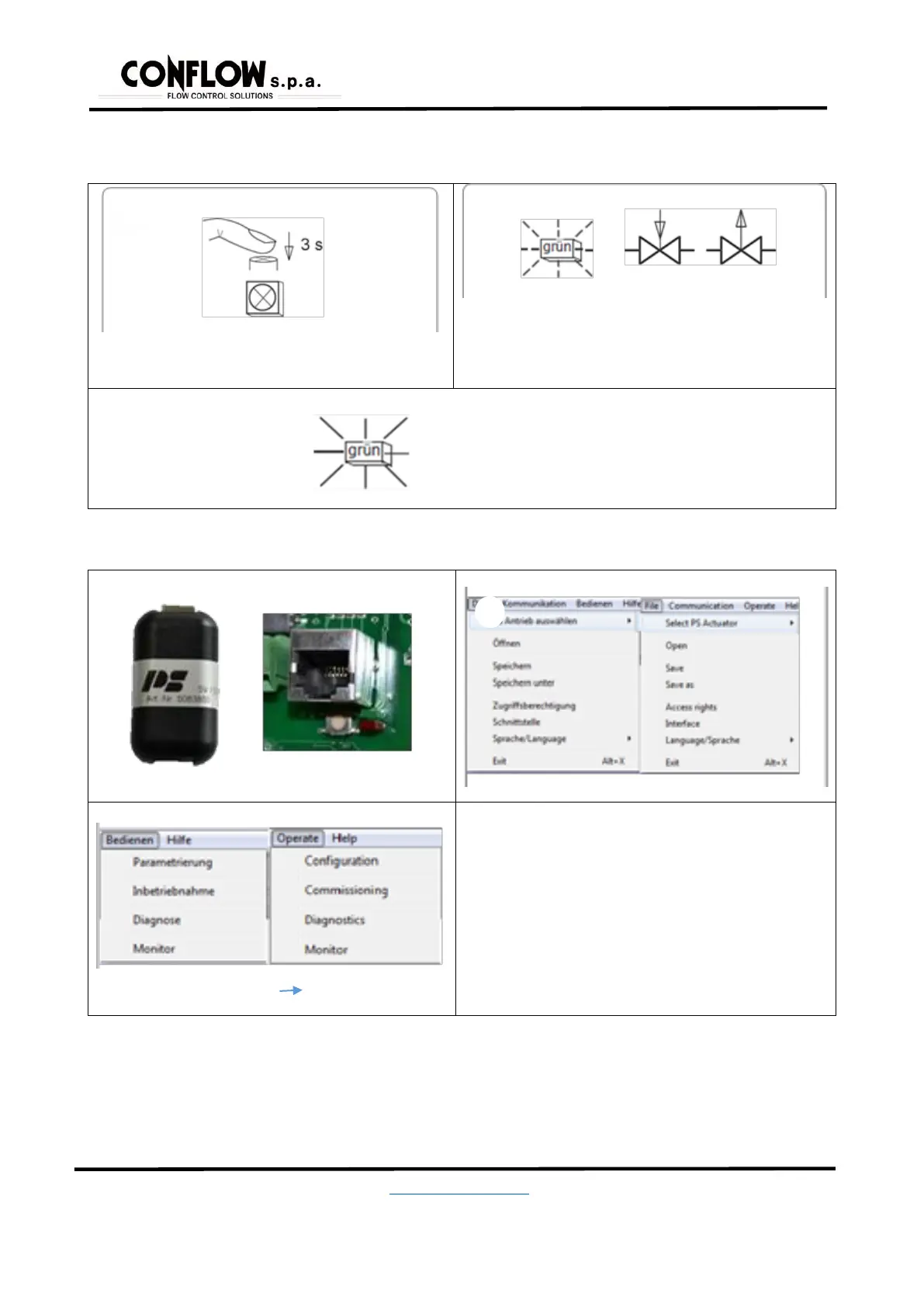
Only possible if at least one of the limitations (opening/closure) is set as the “torque” or “in the automatic position”.
Press the start button for 3 sec.
For the position of the start button see
1
During the commissioning phase (green light flashing, the valve is
moving in both the limit positions)
2
Fixed green light – The valve has successfully started
and is ready to enter in operation
3.12.2 – MANUAL COMMISSIONING
Connect the PSCS-USB cable to the PC and start the software
Select the type of actuator and the program interface
Select “Operate” Commissioning
and confirm with OK
During manual commissioning, ensure the correct value for the
closure position or binary input to control the valve in the closure
position based on the configuration established is permanently
applied.


 To Next Page