57
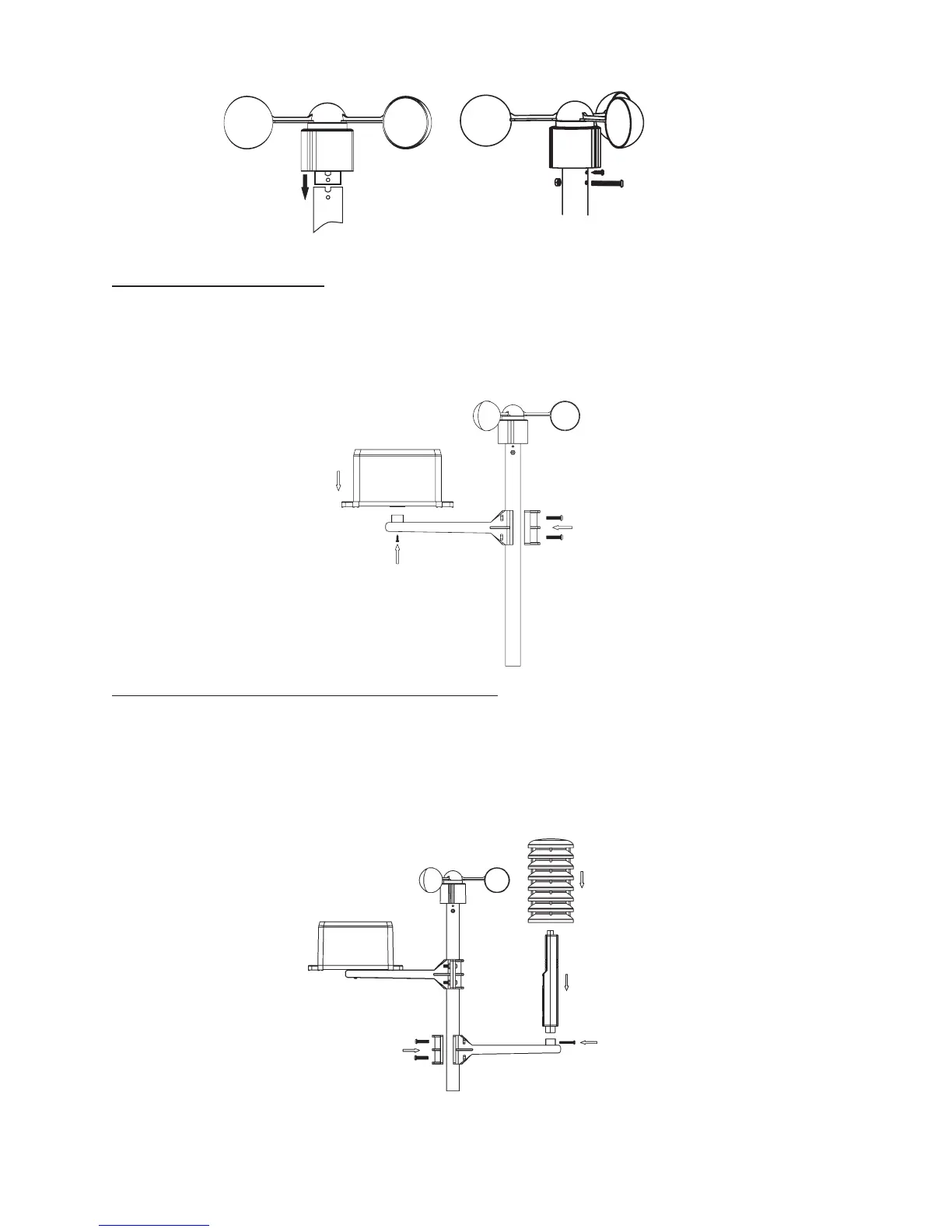
Attaching the rain sensor:
Put the rain sensor onto the enclosed post attachment. Screw the rain sensor tight
on the post attachment with the enclosed small metal screw. Attach the post attach-
ment to the sensor post.
Attaching the temperatur
e/air humidity sensor:
Put the temperature/air humidity sensor onto the enclosed post attachment. Attach
the temperature/air humidity sensor with the threaded screw with the nut (enclosed)
to the sensor attachment. Attach the post attachment to the sensor post. Place the
rain cover correctly on the sensor. Never operate the sensor outdoors without the
rain cover.


 To Next Page