C931 • C932 • C933 42 / 47
Perform the following steps:
16. reset the meter (switch on while holding MODE pressed). yes?
15. store all pH electrodes in a 3...4 KCl solution overnight. yes?
18. select the °C mode, measure temperature of solutions and read the display. °C:
19. select the mV mode (do not calibrate!). yes?
20. connect the pH electrode, rinse, dip in fresh buffer 7 (stir!) and read display. mV:
17. short-circuit the pH input, select the mV mode and read display. mV:
21. rinse the pH electrode, dip in fresh buffer 4 (stir!) and read display. mV:
14. type of connected electrode:
22. connect a new pH electrode, rinse, dip in fresh buffer 7 (stir!) and read display. mV:
23. rinse this pH electrode, dip in fresh buffer 4 (stir!) and read display. mV:
Technical assistance form - pH
If you need assistance with a technical problem, make sure to fill the complete
checklist (all 23 points!) and fax a copy to Consort: +32/14/429179.
1. purchase date:
5. organisation:
7. division:
6. name:
8. address:
9. postal code: 10. city:
11. telephone:
12. telefax:
13. e-mail:
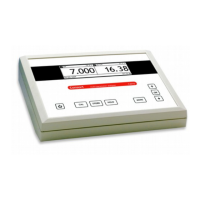
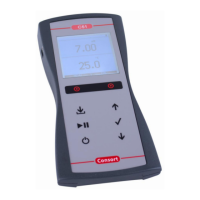
2. indicate model:
4. serial no:
C931 - C932 - C933
2. purchased from:
"



 To Next Page