9
Troubleshooting
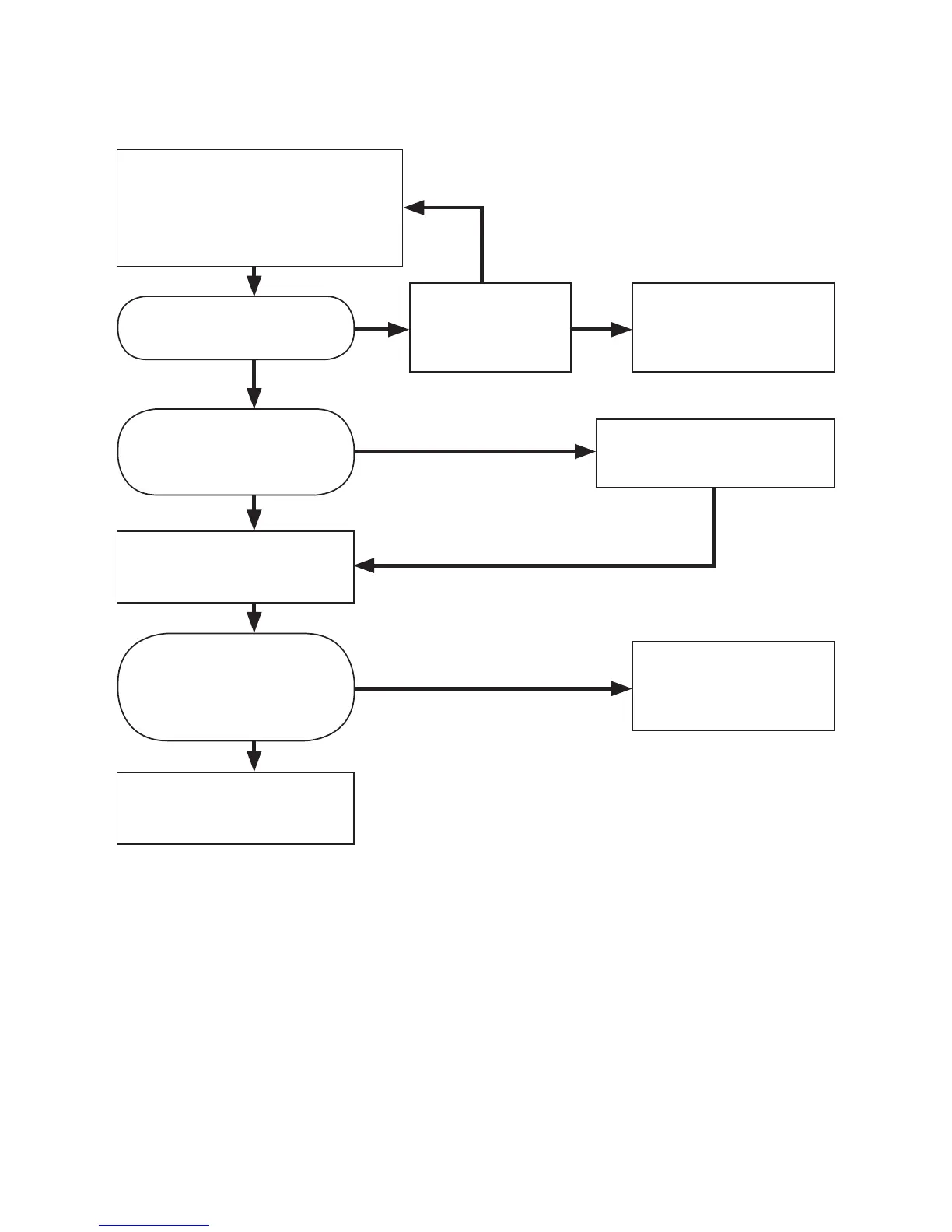
FLASHING
Plug the power supply into
a wall outlet. Connect the
Portable Loop and turn the unit
o using its power switch.
Is the power
supply correctly
connected?
Is there any indication
on the status light?
Is the status light
ashing red or is it a
steady red?
Charge the unit until the
light becomes steady.
Switch on the Portable
Loop power switch.
Is the red light
replaced by a green light
if a sound is made near
the Portable Loop?
The Portable Loop
has a fault. Contact
your dealer.
The Portable Loop is
working correctly.
NO
YES
NO
STEADY
YES
YES
NO
The Portable Loop
has a fault. Contact
your dealer.
If you are still experiencing problems, please contact your local dealer.


 To Next Page