EasyManua.ls Logo

Contax Aria - Page 46

Contax Aria
114 pages
Print Icon
To Next Page IconTo Next Page
To Previous Page IconTo Previous Page
Loading...
98
Set
the
lens
aperture
to
the
minimum
aperture
(green)
and
set
the
exposure
mode
selector
lever
to
“Tv.”
The
minimum
aperture
on
the
aperture
ring
of
MM
type
lenses
is
marked
in
green
to
show
that
you
should
set
the
lens
to
it
in
the
programmed
auto
exposure
and
shutter-
speed-priority
auto
exposure
modes.
2
Set
the
shutter
speed
and
shoot
When
the
shutter
speed
is
set
by
turning
the
shutter
speed
dial,
the
camera
will
automatically
set
the
aperture
suited
for
it.
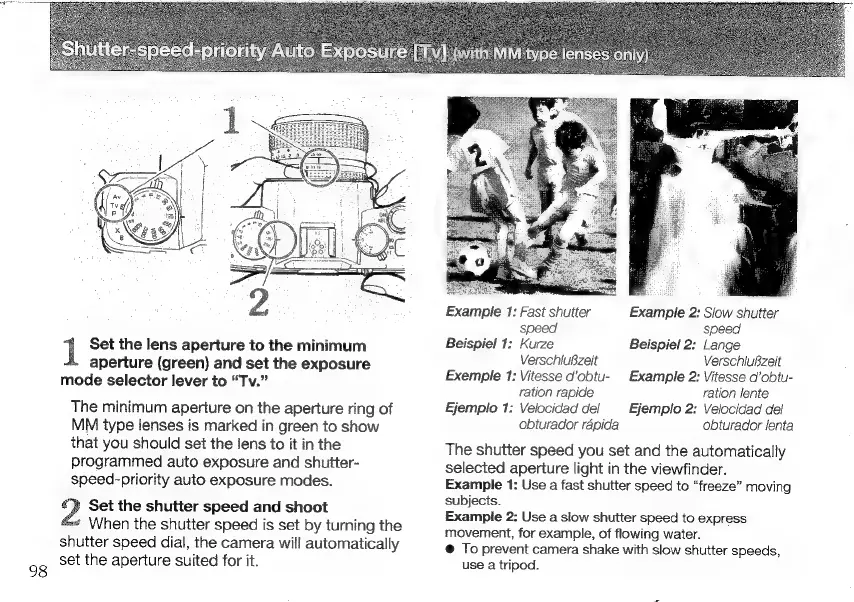
Example
1:
Fast
shutter
Example
2:
Slow
shutter
speed
speed
Beispiel
1:
Kurze
Beispiel
2:
Lange
VerschluBzeit
Verschlußzeit
Exemple
1:
Vitesse
d’obtu-
Example
2:
Vitesse
d’obtu-
ration
rapide
ration
lente
Ejemplo
1:
Velocidad
del
Ejemplo
2:
Velocidad
del
obturador
rápida
obturador
lenta
The
shutter
speed
you
set
and
the
automatically
selected
aperture
light
in
the
viewfinder.
Example
1:
Use
a
fast
shutter
speed
to
“freeze”
moving
subjects.
Example
2:
Use
a
slow
shutter
speed
to
express
movement,
for
example,
of
flowing
water.
e
To
prevent
camera
shake
with
slow
shutter
speeds,
use
a
tripod.

Other manuals for Contax Aria

Related product manuals