EasyManua.ls Logo

Contax Aria - Page 66

Contax Aria
114 pages
Print Icon
To Next Page IconTo Next Page
To Previous Page IconTo Previous Page
Loading...
142
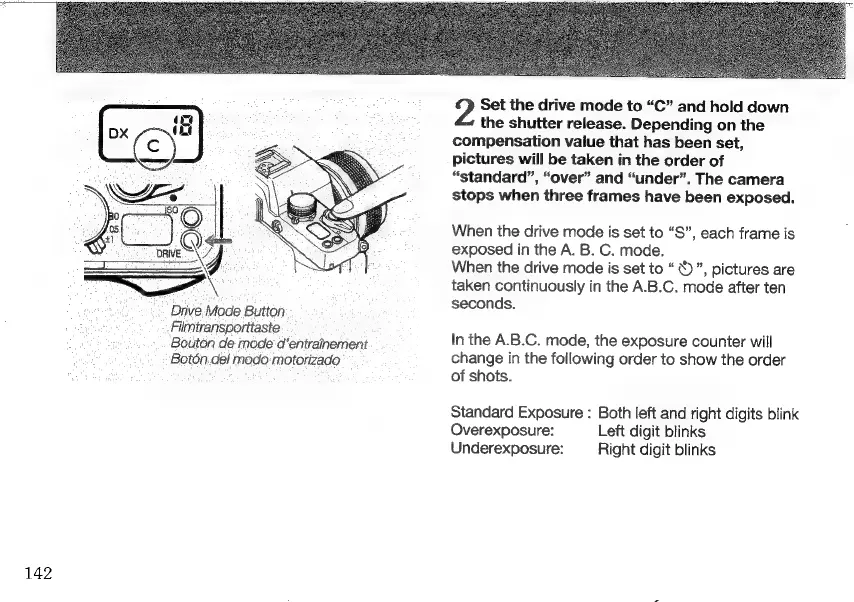
Drive.Mode
Button
Filmtransporttaste
Bouton
de
mode
d’entrainement
Botón.del
modo
motorizado
Set
the
drive
mode
to
“C”
and
hold
down
the
shutter
release.
Depending
on
the
compensation
value
that
has
been
set,
pictures
will
be
taken
in
the
order
of
“standard”,
“over”
and
“under”.
The
camera
stops
when
three
frames
have
been
exposed.
When
the
drive
mode
is
set
to
“S”,
each
frame
is
exposed
in
the
A.
B.
C.
mode.
When
the
drive
mode
is
set
to
Ù
”,
pictures
are
taken
continuously
in
the
A.B.C.
mode
after
ten
seconds.
In
the
A.B.C.
mode,
the
exposure
counter
will
change
in
the
following
order
to
show
the
order
of
shots.
Standard
Exposure
:
Both
left
and
right
digits
blink
Overexposure:
Left
digit
blinks
Underexposure:
Right
digit
blinks

Other manuals for Contax Aria

Related product manuals