10
MTS
Adjust audio preference or an alternative language.
Press ◄ / ► button to adjust.
Audio Language
Select the language supported by the chosen digital channel. Option is only available
when TV is set as the input.
Press ◄ / ► button to select.
Digital Audio Output
Select the digital audio output between PCM (Analog Audio) and RAW (Digital Audio).
Press ◄ / ► button to select.
Surround Sound
Turn virtual surround sound effect on or off.
Press ◄ / ► button to select (On / Off).
AVL
AVL maintains a consistent sound level set by the viewer regardless of the channel or
program.
Press ◄ / ► button to select (On / Off).
TV Speaker
Turn speaker on or off.
Press ◄ / ► button to select (On / Off).
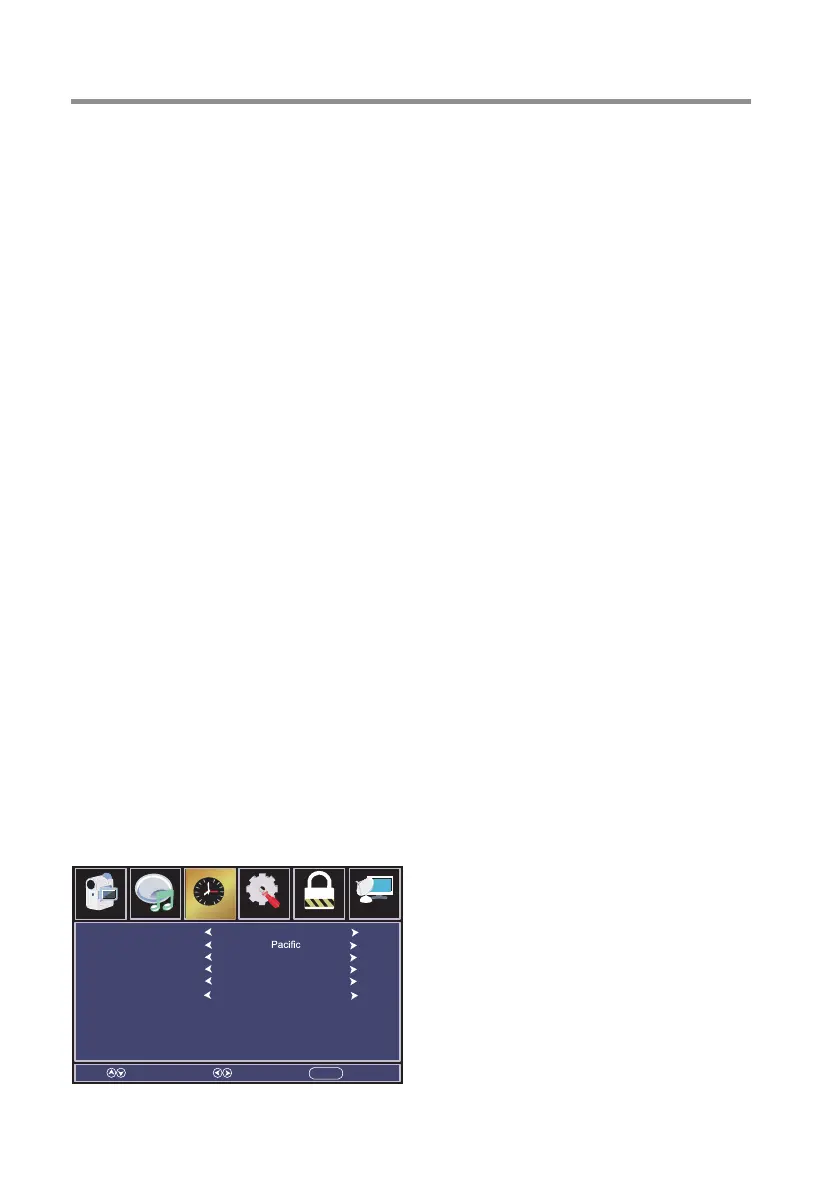
Time Menu
Press MENU button to display the main menu, press ◄ / ► button to select Time.
Press ▼/▲ button to select submenu.
Press ◄ / ► button to adjust options.
Press MENU button to back the previous menu.
TV Operation and System Setup
Sleep Timer
Time Zone
Daylight Saving Time
Time Format
Auto Clock
Clock
Select Move EXITMENU
Off
Off
24-hour
On
2007/01/01 00:00
Setup Parental ChannelAudio
Picture
Time
12
6


 To Next Page