- 20 -
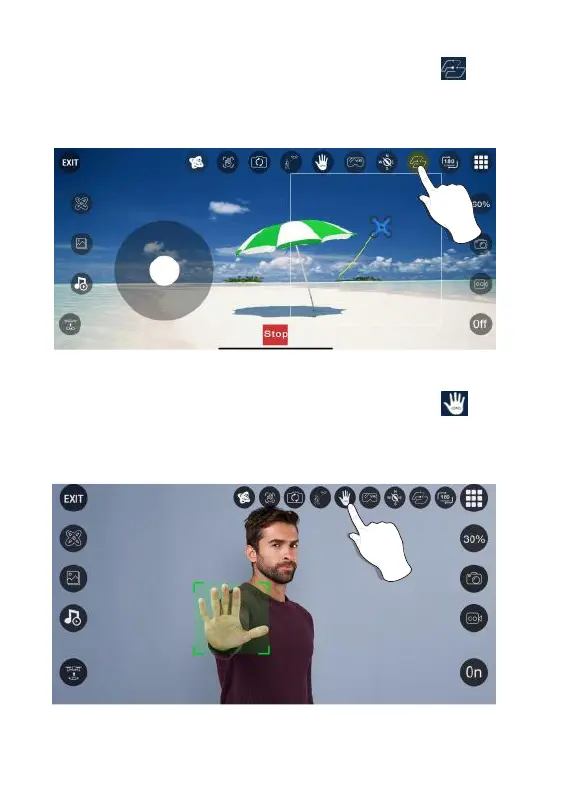
Flight Path
Palm Follow
Successfully connect the drone WiFi with your smartphone,click “ ” on the App.
Find the transparent box on the screen. Mark the path you plan to fly within the
transparent box range on the map. (This mode can only be used in APP controlled
mode.)
Successfully connect the drone WiFi with your smartphone,click “ ” on the App
and put your palm in front of the lens. The drone will automacally recognize the
posion of your palm and follow the movement. (This mode can only be used in APP
controlled mode.)



 To Next Page