Headless Mode
1. The drone defaults to Normal Mode when the drone and remote control are
matched successfully. Click “ ” buon to enter into Headless mode.
Click “ ” buon again to exit Headless mode. Or click “ ” on the app
when the drone is under APP control.
2. Normal Mode: Before takeoff, the camera on the drone indicate the
forward-facing direcon.
3. Headless Mode: Before takeoff, the camera on the drone indicate the
forward-facing direcon. When the drone rotates in flight, the flight direcon
is not changed.
- 15 -
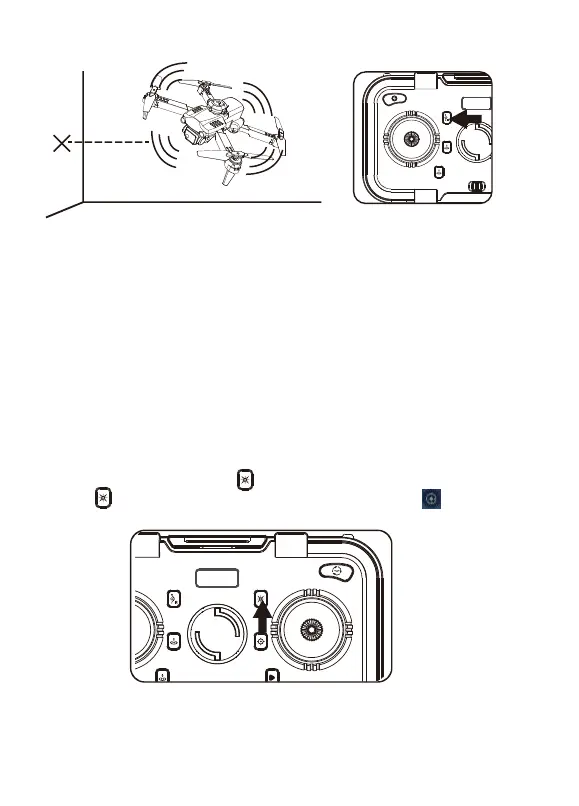
Press the buon to turn on the obstacle avoidance mode, and press again to turn
ohe obstacle avoidance mode.
Avoid obstacles on four sides and when an obstacle is detected, the drone will stop
in place, the remote controller will sound an alarm.
It is recommended to turn on the obstacle avoidance funcon in an indoor flight
environment with a length and width of 6x6 meters (20x20 feet) or more. When the
drone turns on the obstacle avoidance mode, the speed will slow down and the fast
gear cannot be turned on. Therefore, it is recommended to fly indoors when the
obstacle avoidance mode in turned on.
Obstacle Avoidance Mode



 To Next Page