FLIGHT
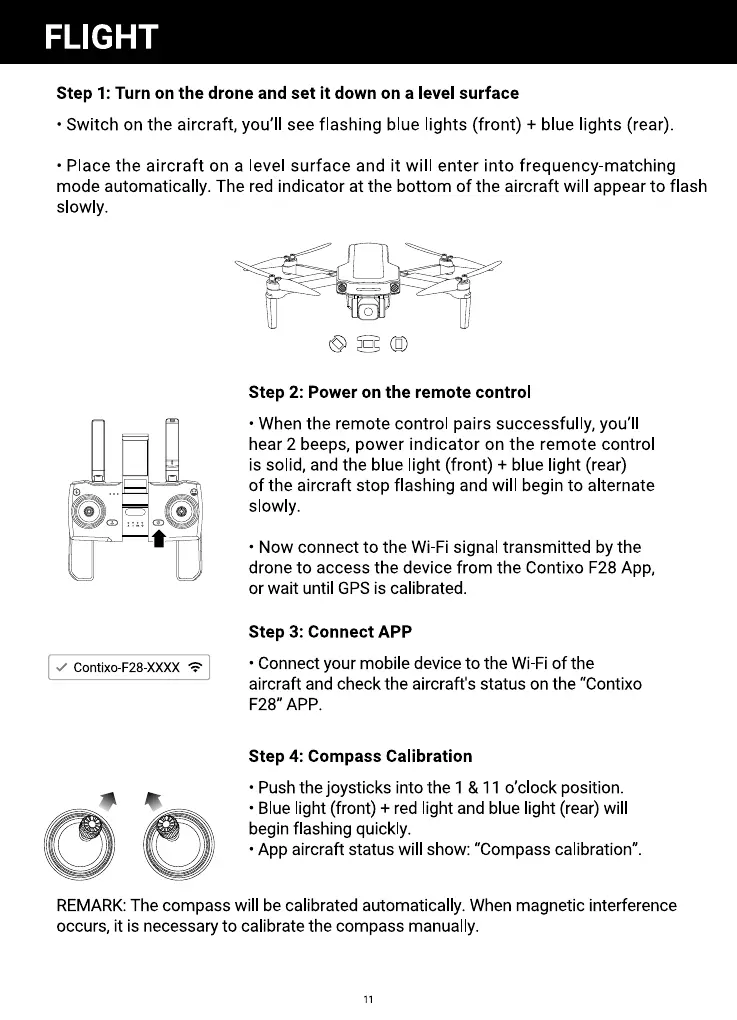
Step 1: Turn on the drone and set it down on a level surface
• Switch on the aircraft, you'll see flashing blue lights (front) + blue lights (rear).
• Place the aircraft on a level surface and it will enter into frequency-matching
mode automatically. The red indicator at the bottom of the aircraft will appear to flash
slowly.
Contixo-F28-XXXX
O
Step 2: Power on the remote control
• When the remote control pairs successfully, you'll
hear 2 beeps, power indicator on the remote control
is solid, and the blue light (front) + blue light (rear)
of the aircraft stop flashing and will begin to alternate
slowly.
• Now connect to the Wi-Fi signal transmitted by the
drone to access the device from the Contixo F28 App,
or wait until GPS is calibrated.
step 3: Connect APP
• Connect your mobile device to the Wi-Fi of the
aircraft and check the aircraft's status on the "Contixo
F28" APP.
Step 4: Compass Calibration
• Push the joysticks into the 1 & 11 0'clock position.
• Blue light (front) + red light and blue light (rear) will
begin flashing quickly.
• App aircraft status will show: "Compass calibration".
REMARK: The compass will be calibrated automatically. When magnetic interference
occurs, it is necessary to calibrate the compass manually.
11



 To Next Page