5. Flight
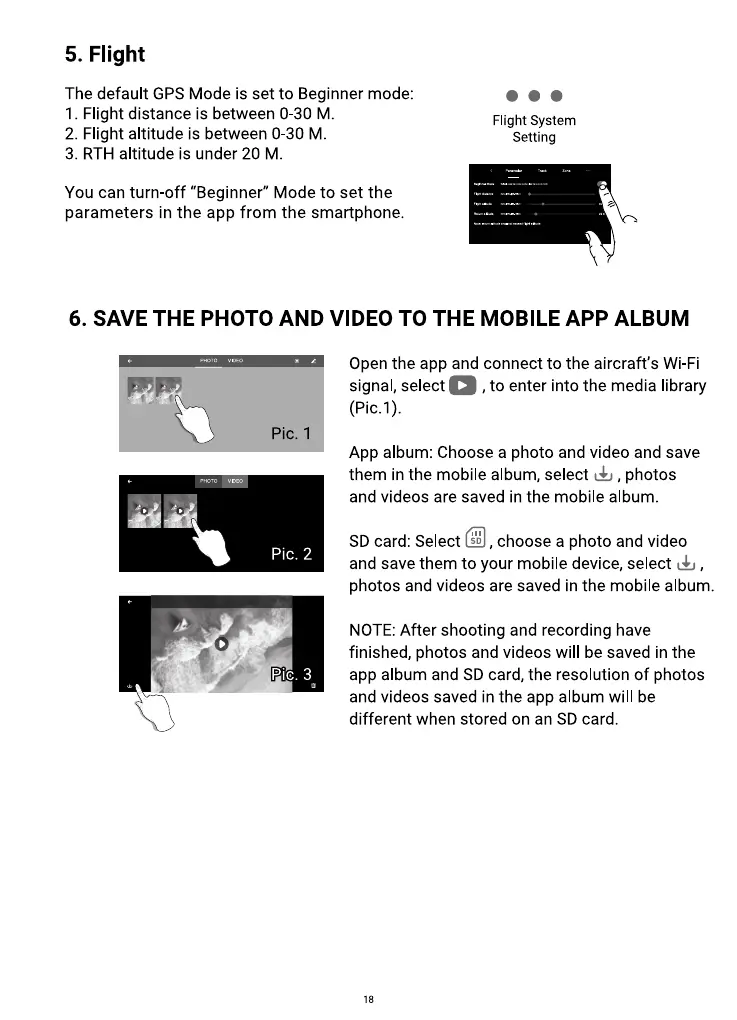
The default GPS Mode is set to Beginner mode:
Flight distance is between 0-30 M
2. Flight altitude is between 0-30 M.
3. RTH altitude is under 20 M.
You can turn-off "Beginner" Mode to set the
parameters in the app from the smartphone.
Flight System
Setting
6. SAVE THE PHOTO AND VIDEO TO THE MOBILE APP ALBUM
Pic. I
Pic. 2
Pit. 3
Open the app and connect to the aircraft's Wi-Fi
, to enter into the media librarysignal, select
App album: Choose a photo and video and save
them in the mobile album, select , photos
and videos are saved in the mobile album.
SD card: Select
, choose a photo and video
and save them to your mobile device, select
photos and videos are saved in the mobile album.
NOTE: After shooting and recording have
finished, photos and videos will be saved in the
app album and SD card, the resolution of photos
and videos saved in the app album will be
different when stored on an SD card.
18



 To Next Page