AIRCRAFT FUNCTION PROFILE
1. WAYPOINT FLIGHT
Ensure the connected smartphone has internet service available, select CS in the app,
catch the map data of the area where you intend to fly from your mobile device, then
connect your mobile device to the aircraft so you can view the map from CD in the app.
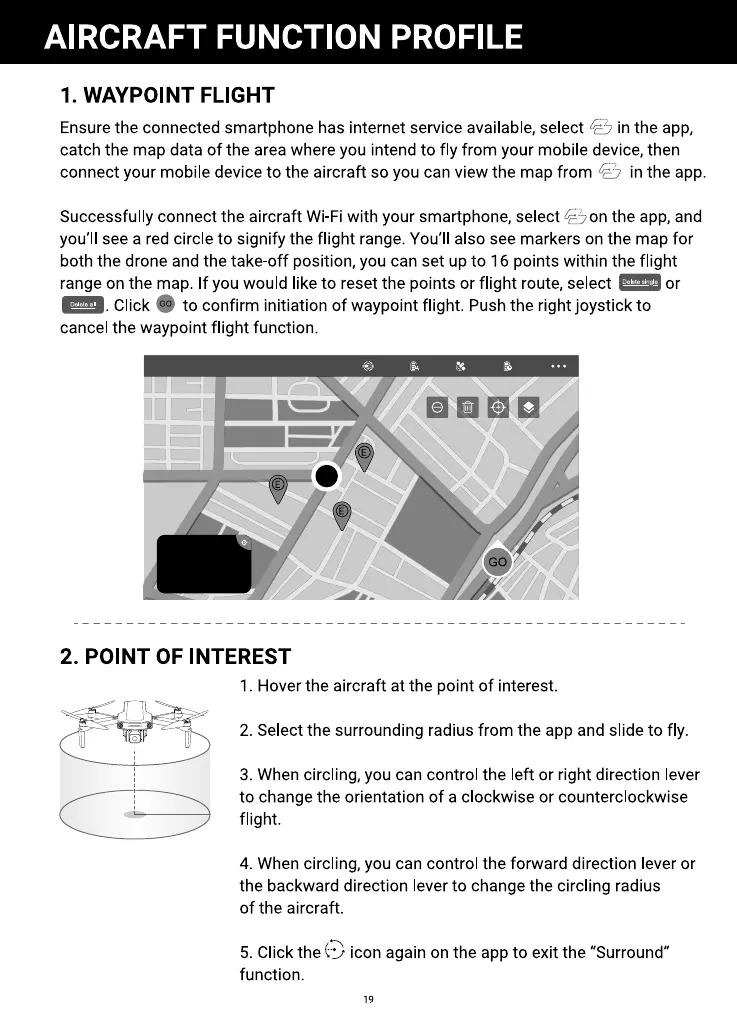
Successfully connect the aircraft Wi-Fi with your smartphone, select Céyonthe app, and
you'll see a red circle to signify the flight range. You'll also see markers on the map for
both the drone and the take-off position, you can set up to 16 points within the flight
range on the map. If you would like to reset the points or flight route, select or
e. Click to confirm initiation of waypointflight. Pushthe rightjoystick to
cancel the waypoint flight function.
2. POINT OF INTEREST
1. Hover the aircraft at the point of interest.
2. Select the surrounding radius from the app and slide to fly.
3. When circling, you can control the left or right direction lever
to change the orientation of a clockwise or counterclockwise
flight.
4. When circling, you can control the forward direction lever or
the backward direction lever to change the circling radius
of the aircraft.
5. Click the icon again on the app to exit the "Surround"
function.
19



 To Next Page