3. EMERGENCY STOP
o
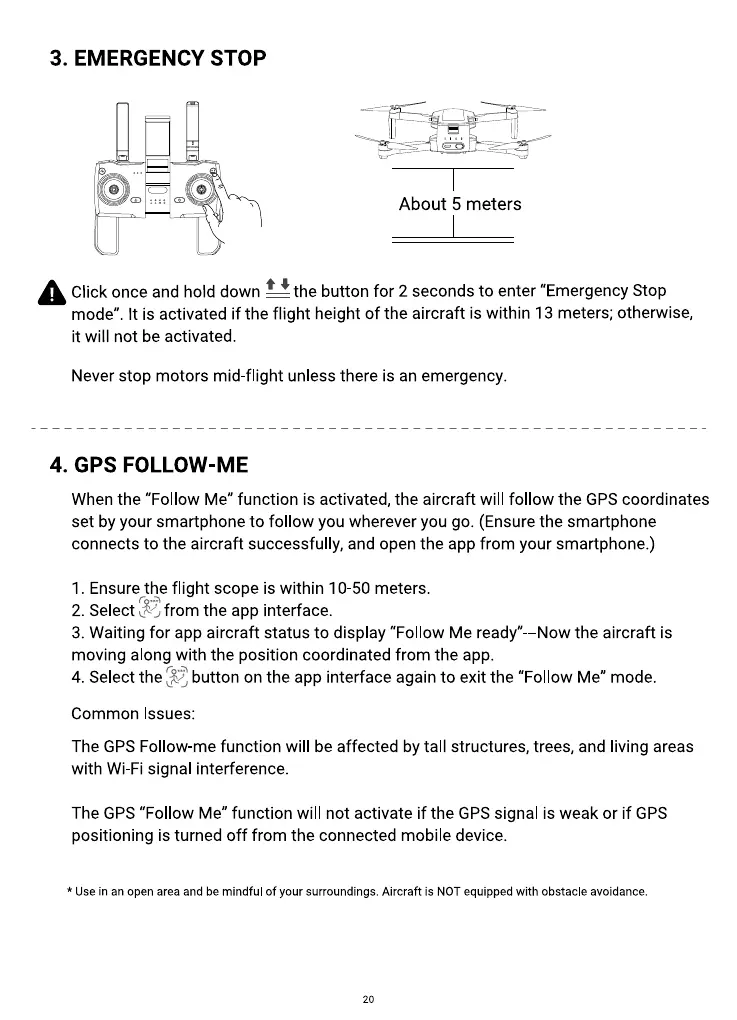
About 5 meters
Click once and hold down — the button for 2 seconds to enter "Emergency Stop
mode". It is activated if the flight height of the aircraft is within 13 meters; otherwise,
it will not be activated.
Never stop motors mid-flight unless there is an emergency.
4. GPS FOLLOW-ME
When the "Follow Me" function is activated, the aircraft will follow the GPS coordinates
set by your smartphone to follow you wherever you go. (Ensure the smartphone
connects to the aircraft successfully, and open the app from your smartphone.)
1. Ensure the flight scope is within 10-50 meters.
from the app interface.
2. Select
3. Waiting for app aircraft status to display "Follow Me ready" --Now the aircraft is
moving along with the position coordinated from the app.
4. Select the
button on the app interface again to exit the "Follow Me" mode.
Common Issues:
The GPS Follow-me function will be affected by tall structures, trees, and living areas
with Wi-Fi signal interference.
The GPS "Follow Me" function will not activate if the GPS signal is weak or if GPS
positioning is turned off from the connected mobile device.
* Use in an open area and be mindful Of your surroundings. Aircraft is NOT equipped with Obstacle avoidance.
20



 To Next Page