EasyManua.ls Logo

Contour rollermouse pro2 - User Manual

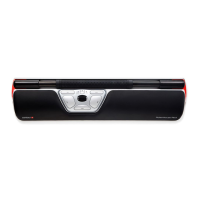
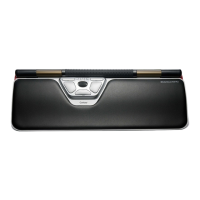
Contour rollermouse pro2
8 pages
Print Icon
To Next Page IconTo Next Page
Loading...
1-2-3...
9844 user_manual_144x100_final.indd 1 23/12/09 21.07
Question and Answer IconNeed help?

Do you have a question about the Contour rollermouse pro2 and is the answer not in the manual?

Summary

Easy adjustment

Keyboard support placement

Describes positioning the keyboard support for optimal use.

Wide keyboard compatibility

Illustrates RollerMouse setup with a wide keyboard.

Easy startup

USB connection

Connecting the device via USB for initial setup.

Standard button configuration

Button layout options

Choosing from three different button configurations for usability.

Ergonomic usage

Ergonomic positioning

Using the RollerMouse with both hands in various comfortable positions.

Thumb usage recommendation

Advice against using thumbs for operation.

Customization and programming

Rollerbar click and detection

Understanding the rollerbar's click and end-detection functions.

Individual button programming

Personalizing button functions for user-specific needs.
Summary

Easy adjustment

Keyboard support placement

Describes positioning the keyboard support for optimal use.

Wide keyboard compatibility

Illustrates RollerMouse setup with a wide keyboard.

Easy startup

USB connection

Connecting the device via USB for initial setup.

Standard button configuration

Button layout options

Choosing from three different button configurations for usability.

Ergonomic usage

Ergonomic positioning

Using the RollerMouse with both hands in various comfortable positions.

Thumb usage recommendation

Advice against using thumbs for operation.

Customization and programming

Rollerbar click and detection

Understanding the rollerbar's click and end-detection functions.

Individual button programming

Personalizing button functions for user-specific needs.

Contour rollermouse pro2 Specifications

General IconGeneral
BrandContour
Modelrollermouse pro2
CategoryMouse
LanguageEnglish

Related product manuals