EasyManua.ls Logo

Contour unimouse - User Manual

Contour unimouse
10 pages
Print Icon
To Next Page IconTo Next Page
Loading...
Product Manual
Wireless

Other manuals for Contour unimouse

Question and Answer IconNeed help?

Do you have a question about the Contour unimouse and is the answer not in the manual?

Summary

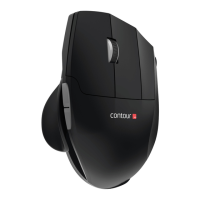
Box Contents

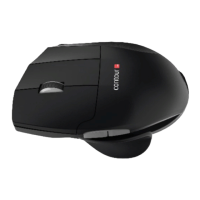
Unimouse Functions

Getting Started

Power Switch

Locate and operate the mouse's power switch for usage.

Connecting to a Computer

Connect the Unimouse to your computer via the wireless receiver or charging cable.

Usage and Configuration

Charging

Instructions on how to charge the Unimouse's internal battery.

Scroll Lock to Double Click

Guide to remapping the scroll function to a double-click action.

Adjustable Features

Details on customizing thumb rest depth, width, tilt, and pivot.

Pairing

Instructions for pairing the Unimouse with its receiver.

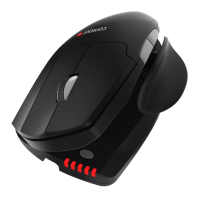
Battery Level

How to check the Unimouse's battery status and indicators.

Change Cursor Speed

How to adjust mouse cursor speed (DPI) using LED indicators.

Summary

Box Contents

Unimouse Functions

Getting Started

Power Switch

Locate and operate the mouse's power switch for usage.

Connecting to a Computer

Connect the Unimouse to your computer via the wireless receiver or charging cable.

Usage and Configuration

Charging

Instructions on how to charge the Unimouse's internal battery.

Scroll Lock to Double Click

Guide to remapping the scroll function to a double-click action.

Adjustable Features

Details on customizing thumb rest depth, width, tilt, and pivot.

Pairing

Instructions for pairing the Unimouse with its receiver.

Battery Level

How to check the Unimouse's battery status and indicators.

Change Cursor Speed

How to adjust mouse cursor speed (DPI) using LED indicators.

Contour unimouse Specifications

General IconGeneral
Connection TypeWireless
Sensor TypeOptical
Buttons6
Adjustable AngleYes
Hand OrientationRight
AdjustabilityYes
InterfaceUSB
ColorBlack
DPI800
Battery Life3 months
CompatibilityWindows, Mac

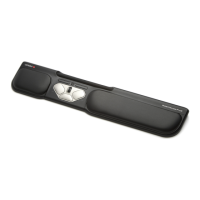
Related product manuals