3
Intercom menu overview
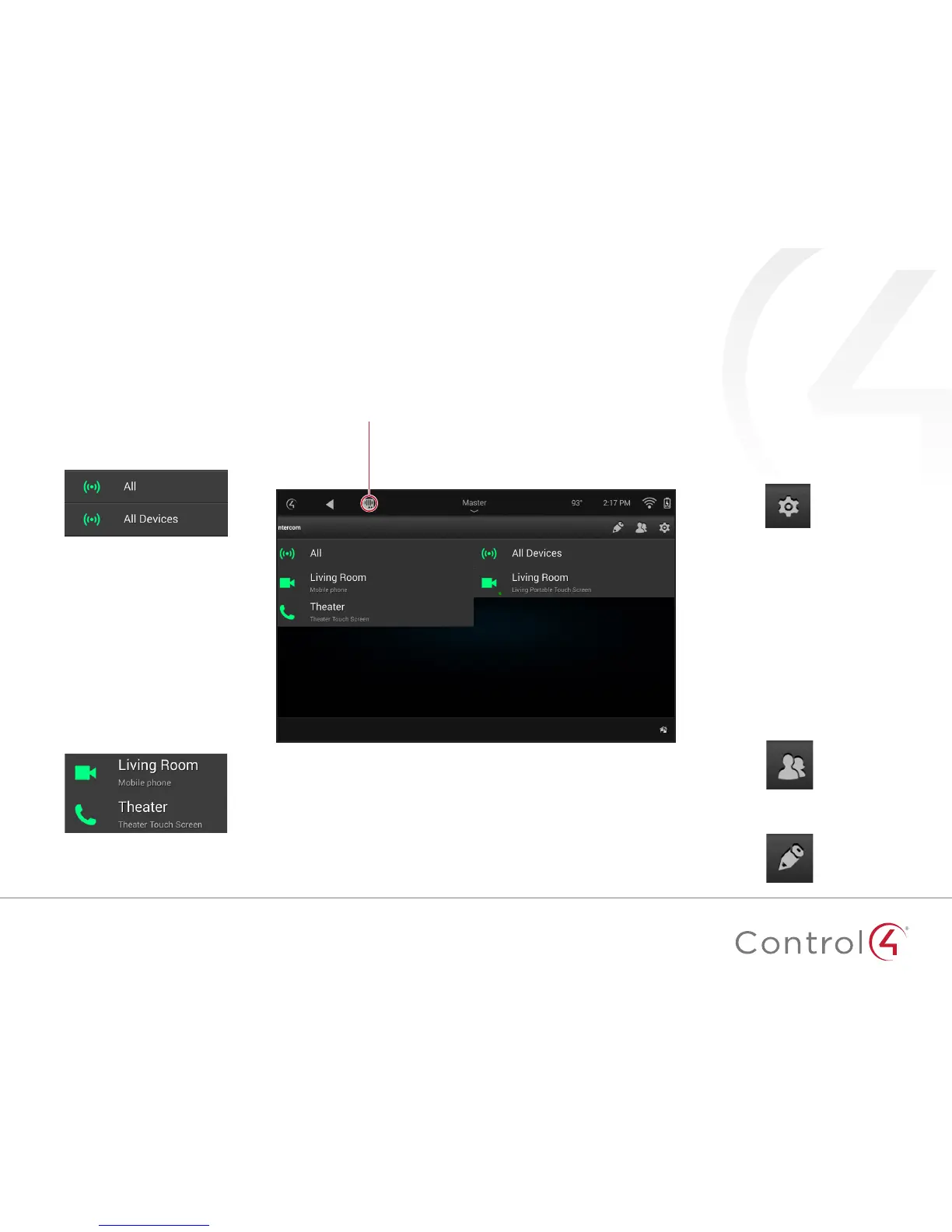
To access the Intercom, tap this icon.
The Intercom home screen displays all of your configured
Intercom devices, your configured Intercom groups, and
buttons to access Groups and Settings.
Intercom groups
Groups are shown with the
broadcast icon. There is always a
default group named "All."
Intercom devices
Individual Intercom devices
display their name and location.
The camera or phone icons
indicate video or audio-only
Intercom capabilities.
Intercom settings
Tap the settings icon to control the
behavior of the Intercom device,
including Do Not Disturb, Auto
Answer, volume controls, and more.
Manage Intercom groups
Tap the groups icon to create a new
group of Intercom devices, then
check the devices you want to
include.
Tap the edit icon to edit existing
groups.


 To Next Page