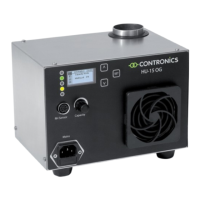
HU-15OG
12
Start up and functional test
- Open the water valve
- Set the % RH knob on maximum position
- Switch on the power and check if:
a. The water runs to the humidier.
b. The water ow stops after about 60 seconds.
c. The production of mist starts after a few seconds.
- Switch off the power and check if:
a. The water content is drained away.
b. After about 1 minute the water reservoir is emptied completely.
- Connect the water drain and check for leakages.
- Switch on the main supply again.
- Set the % knob in the desired position.
- Control if necessary the airspeed. (See the menu overview on pages 16-17).
Note: During start up and ushing (water lling) of the humidier the LED
“Flushing/alarm” will blink green.This is a normal indication on the
humidier during this procedure.
High Level
The humidication will stop if the water level in the humidier becomes too high.
The High Level LED will be activated. The drain valve will open in order to discharge
the excess water.
Low Level
The humidication will stop if the water level in the humidier becomes too low.
The Low Level LED will be activated.
IMPORTANT
If the humidier becomes overheated it will switch off. Once it has cooled
down it will automatically switch on again. In case of overheating,
the “Alarm” LED will show red. (See gure 1 /8).
The following conditions could cause overheating:
- A blockage in the air inlet.
- A blockage in the air outlet.
- Air intake temperature too high.
- Water temperature too high.
- Water discharge blocked.
- Ambient temperature too high.
- Ventilator speed set too low.


 To Next Page