HU-15OG
16
16. MENU OVERVIEW
Settings
- Scroll to the desired setting using the
or button.
- Press
SET
to conrm the selection.
- Scroll using the button
or to <<<<.
- Press
SET
to leave the menu.
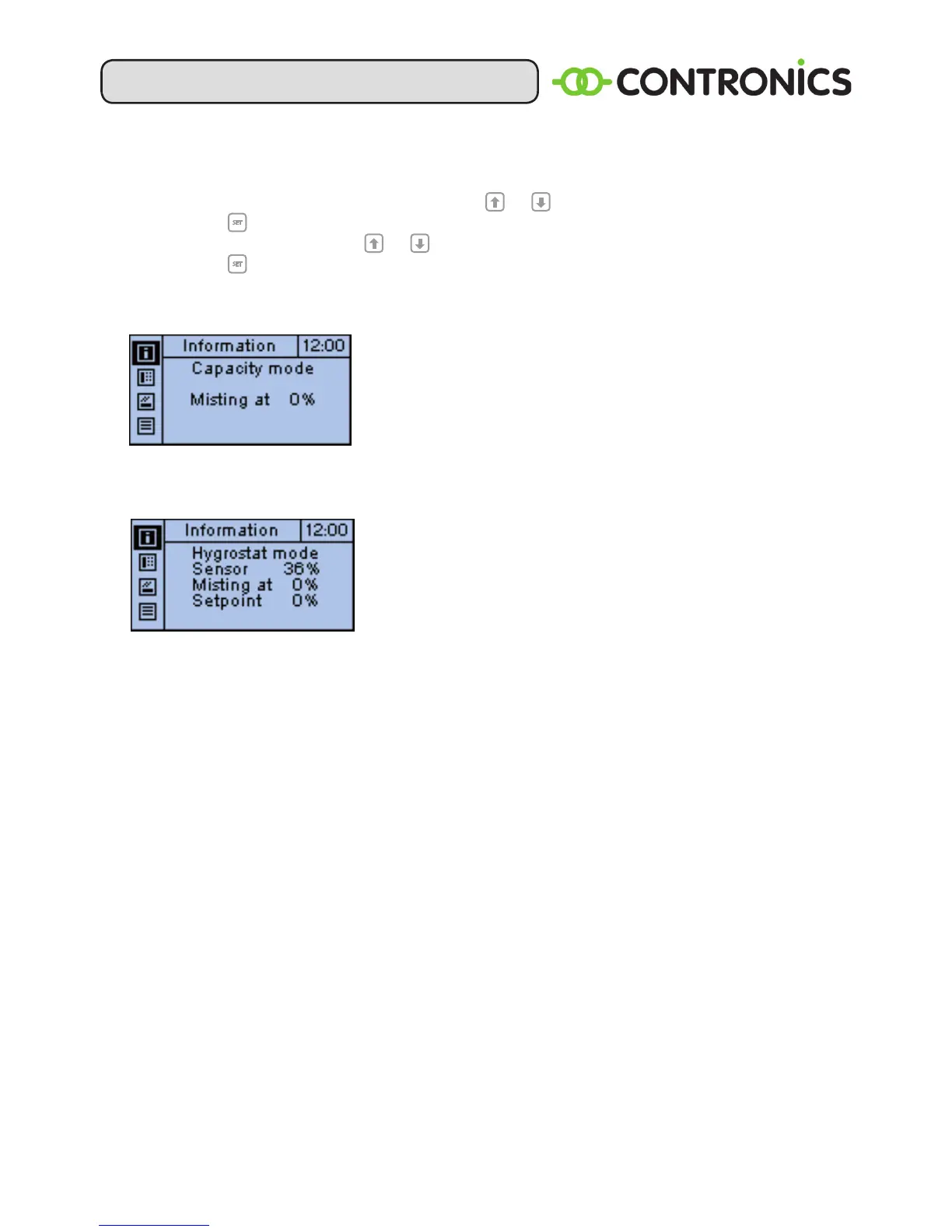
Screen display after switching on:
The current status will be displayed on the screen after
the mains voltage has been switched on. The top line
indicates whether a humidity sensor (HS-91P) is
connected or not. The second line indicates the
fogging output. The bottom line provides information
on the water level.
Screen display after the sensor has been connected:
The HU-15 will switch to hygrostat mode when a
humidity sensor (HS-91P) is connected. The display will
show the sensor value, the set value and the released
fogging capacity.
OZONE MENU:
- Setting the time at which the ozone generation is switched on and the
humidication switched off (2 blocks are possible).
- Setting for ozone on, off or timer-controlled.
HUMIDIFICATION MENU:
- Adjusting the rinsing cycle.
- Setting the RH bandwidth.
- Setting the RH offset.
DISPLAY MENU:
- Setting the language.
- Setting the contrast.
- Setting the timer.
- Service to software version and return to factory settings.


 To Next Page