11
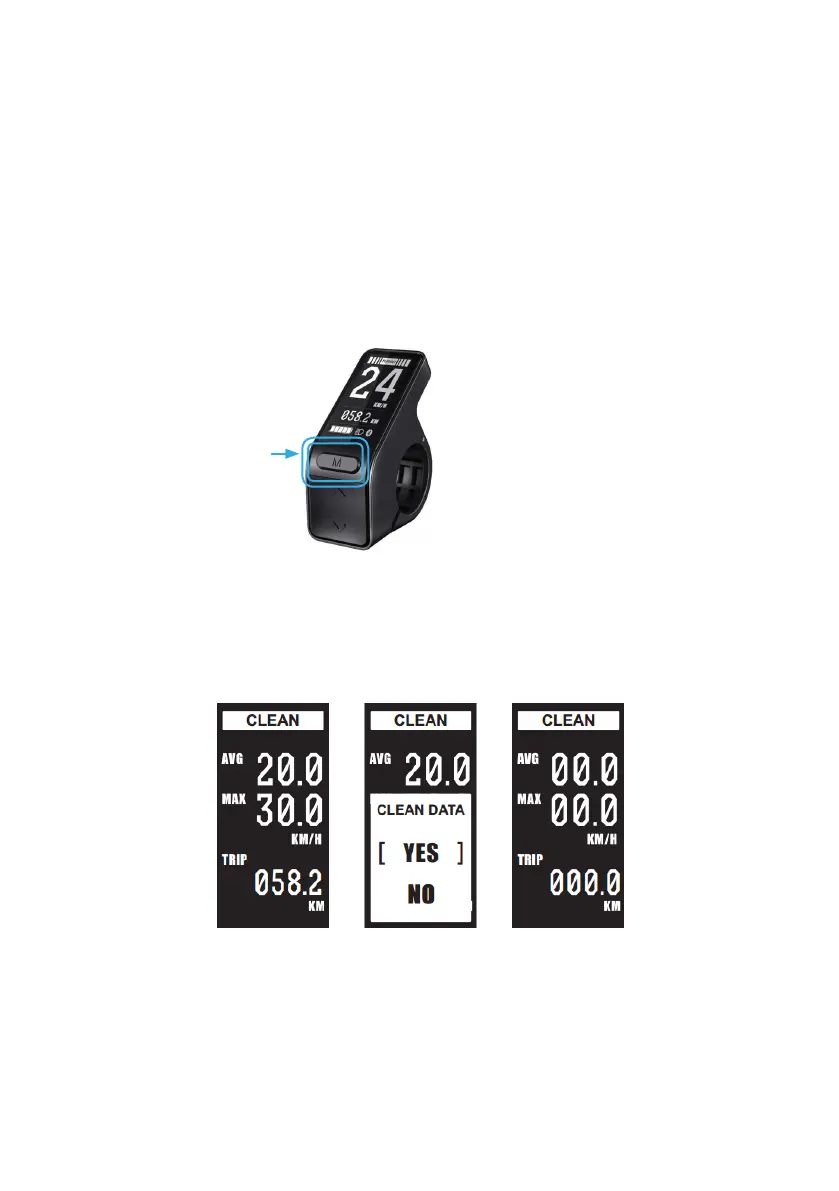
CLEARING TRIP METER, MAX AND AVERAGE SPEED
Turn the system on, AFTER 10 Seconds press and hold ‘M’.
The screen will switch to the ‘Clean’ mode, Press ‘M’ to clean data,
select ‘Yes’ to clear Avg Max and Trip meter (the odometer will not be
cleared).
Press and hold after
waiting 10 Seconds
from startup
DATA RESET



 To Next Page