10 Steljes Audio . ConXeasy S603 User Guide
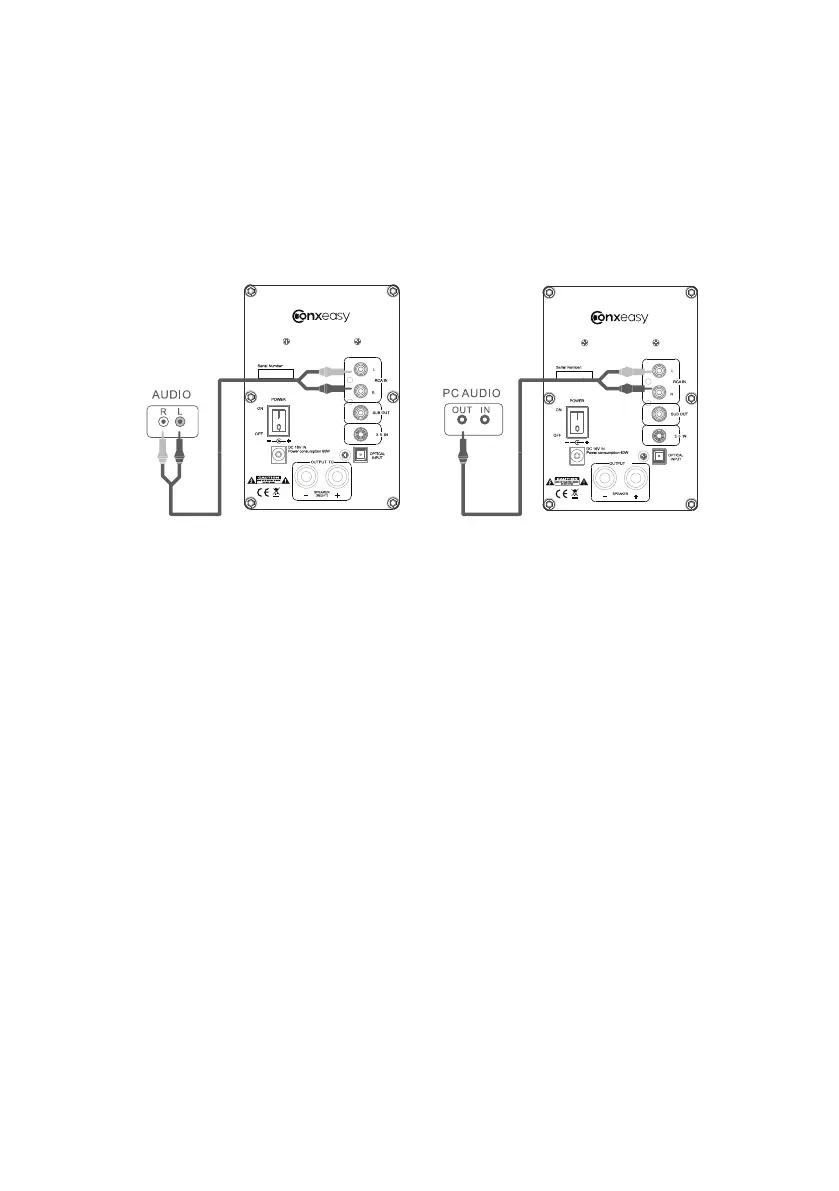
CONNECT TV, dVd, CONSOlE, pC
TO
( RIGHT)
S603
S603
CONFIGURATION A (TV,DVD,CD-RCA stereo plugs):
Connect the RCA L/R to your TV,DVD etc. and the RCA L/R to the Stereo Input on rear panel of
the ConXeasy S603.
Note that most newer TV remotes can control the ConXeasy S603 active speaker volume if
connected to variable TV audio out.
CONFIGURATION B (PC):
Connect the mini jack to your PC and the RCA L/R to the Stereo Input on rear panel of the
ConXeasy S603.
A
B


 To Next Page