Steljes Audio . ConXeasy S603 User Guide 9
uSE wITh IpOd / mp3 playEr
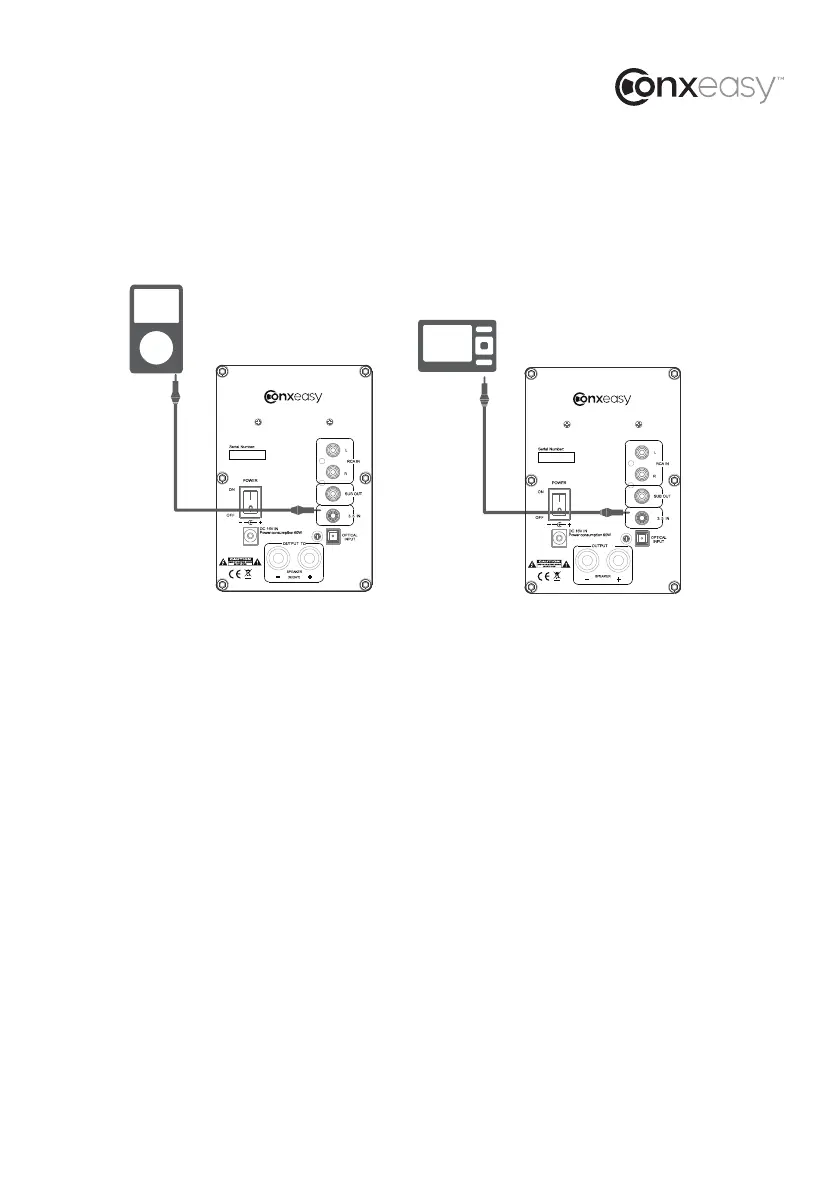
CONFIGURATION A (for use with iPod):
Connect the 3.5mm mini jack audio cable from iPod headphone jack to the AUDIO IN jack on the
rear panel of ConXeasy S603.
CONFIGURATION B (all products with 3.5mm mini jack outputs):
Connect the STEREO INPUT L/R from any audio source with RCA L/R audio outputs.
Connect the 3.5mm mini jack audio cable from 3.5mini jack output to the AUDIO IN jack on the
rear panel.
ATTENTION: When connecting audio cables the power switch be turned OFF.
After connecting all cables the power can be turned ON and the system is now ready to use.
S603
TO
( RIGHT)
S603
A
B



 To Next Page