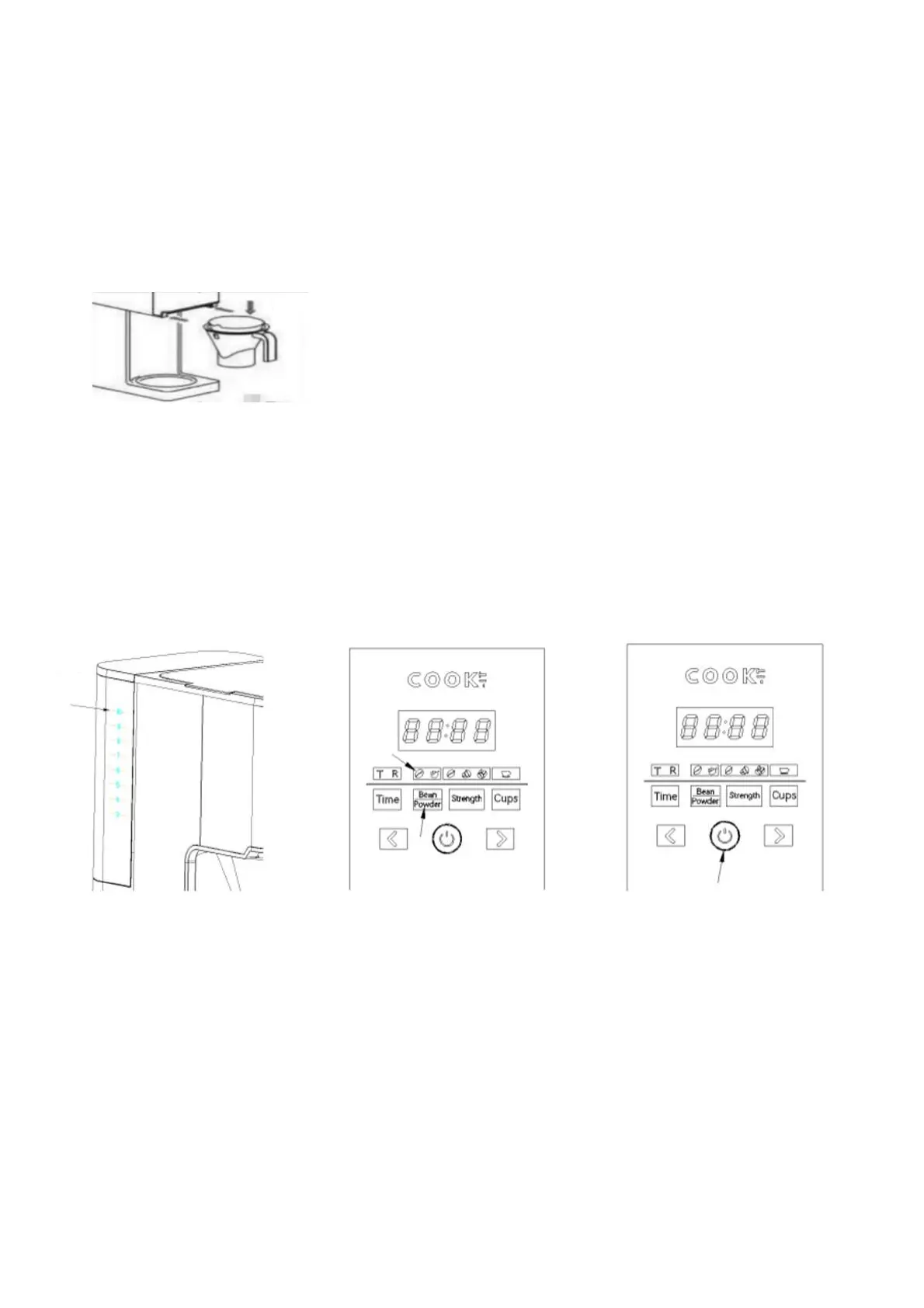
Check that all parts are intact and the product is not damaged. Make sure the product is
turned off. Pull the filter cup out of the body, remove the filter cup and other detachable
parts, clean it in warm water, if necessary, you can add detergent. After cleaning you can
install the removed parts. When the filter cup is stuck on the slide, push forward and hear a
sound to know the cup is installed in place. (Figure 5)
Note: Do not wash the main engine, do not immerse it in water to clean, and do not add
water to clean the bean tank.
Pour the normal temperature drinking water into the tank to the highest water level (see
Figure 6), add an appropriate amount of coffee beans into the Bean box, plug in the power
cord, press the button "Bean/Powder", select the bean grinding function (see Figure 7), and
then press "start/stop" to make the machine work (see Figure 8).
BEFORE FIRST USE
FIG. 5
FIG. 6 FIG. 7 FIG. 8
Until the buzzer sounds to signal that brewing is complete, finish the cleaning first before
repeating the process. The action at the beginning of this chapter can be repeated 2-3
times to ensure that the coffee machine is thoroughly clean.
Note: After brewing, please pour out the coffee in the coffee pot. If the coffee in the coffee
pot does not get poured out, the coffee in the coffee pot will overflow if you clean it
immediately for a second time. Follow the above steps for the next operation.



 To Next Page