13
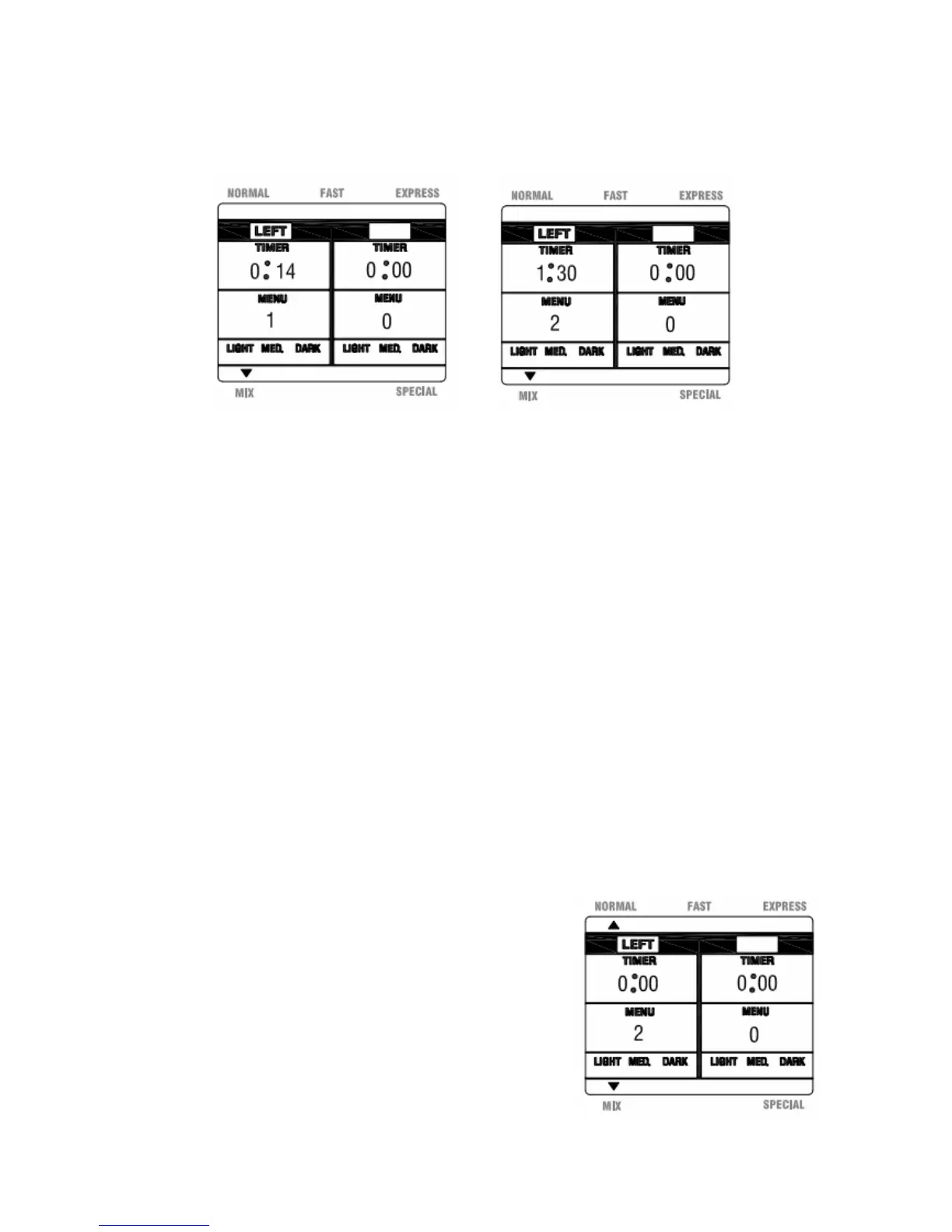
b. Pressthe‘ModeSelect’buttonuntiltheMIXmodeisdisplayed.Thiswillbeindicated
by a small triangle on the LCD.(See Figure 20)A beep will sound each time this
buttonispressed.
Fig.20Fig.21
c. Pressthe‘Menu’buttonuntilthedesiredmenuselection isdisplayed,1Pasta,2Dough,
3 Pizza or 4 Bagel.The timer and menu information on the LCD will be updated
accordingly.(SeeFigure21 for theDough option,Menu2)Abeepwill soundeach
timethisbutton
ispressed.
Notes: Ifusingbothpans,youmaychoosedifferentmenuselectionsforeachside.
Tocyclethroughtheoptionscontinuetopressthe‘Menu’buttonuntilyour
selectionsaredisplayed.
d.
Onceallselectionshavebeenmade,pressthe‘Start/Stop’buttonandholdfor2
secondstobeginthemixingprocess.Abeepwillsoundeachtimethisbuttonis
pressed.
Note: ThetimerwillcountdowneachpartoftheprocessasoutlinedintheProgram
SpecificationChartinthismanual.
2.
Tostopaprocess
Tostopaprocessatanytime,pressthe‘Start/Stop’buttonuntilabuzzersoundisheard,to
indicatethattheprocesshasbeenstopped.
3.
Completionofanoperation
Oncethemixingprocesshasbeencompleted,theLCDwill
display0:00underthe
Timerandtheunitwill beep10
timestoindicatethatithasfinishedthemixingprocess.
(SeeFigure22)
Fig.22


 To Next Page