ISSUE-1 2/8/2017 10
Using the pressure cooker – programmed mode
1. Follow steps 1 – 8 above for manual mode.
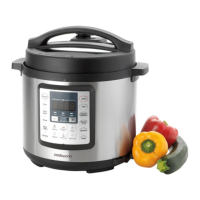
2. Press the programmed button corresponding to the food being
cooked and the default cooking time (see table 1) will be shown
in the display, the ‘medium’ indicator will illuminate and the
cook indicator above the start button will flash.
Default
(medium)
Low High Adjustment
range
(hr:min)
Rice 18 n/a n/a 0 - 0:36
Multigrain 35 20 50 0 - 1:40
Soup 30 20 40 0 - 1:20
Meat / Stew 35 25 45 0 - 1:30
Poultry 20 10 30 0 - 1:00
Fish 5 3 8 0 - 0:16
Steam 15 5 25 0 - 0:50
Beans/ Chilli
35 30 40 0 - 1:20
Quinoa 40 30 50 0 - 1:40
Cake 20 10 30 0 - 1:00
Table 1
3. When cooking foods there is a great deal of personal preference
on how tender or what texture food should have after cooking.
The cooking time can be reduced or extended as before using
the + /- buttons (adjustment range shown in table 1).
4. The length of time that the pressure cooker stays at pressure /
cooking temperature can be reduced or extended using the
ADJUST button. Press the button to scroll between low, medium
and high and the indicator above each option will illuminate to
show the option selected.
5. Press the START button to start operation. Three bleeps will be
heard, the cook indicator will stop flashing and all buttons
except the cancel button will be inoperative.
6.
Follow steps 11 – 17 above for manual mode.


 To Next Page
 Loading...