Audio
11
Color
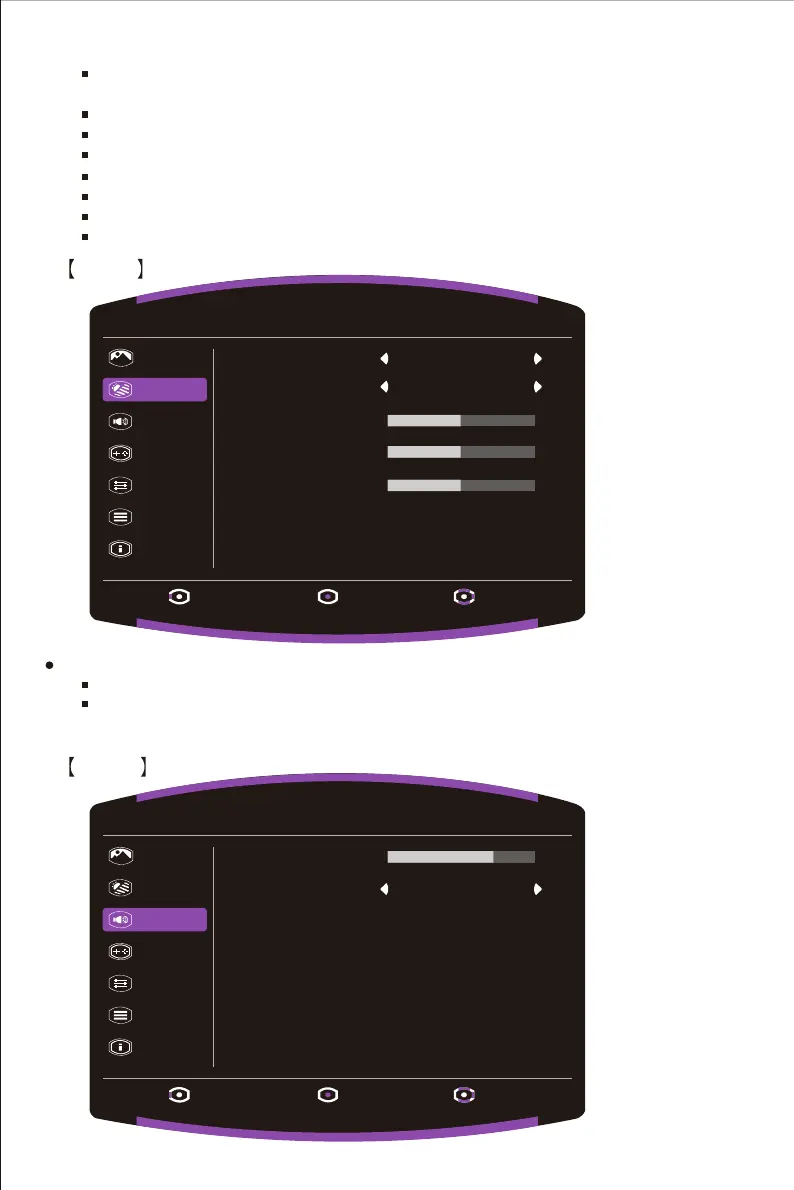
Enter the Color menu to adjust the ideal color mode.
Gamma: Adjust gamma curve between 1.8, 2.2 and 2.4.
Color Temperature: Adjust between Bluish, Cool, Native, Warm and User Color settings
which can adjust Red, Green and Blue value from 0 to 100.
Blue Light Filter : Adjust the Blue Light Filter level between Off, 50%, 60%, 70% and 80%.
Advanced DCR: Turn the Advanced DCR function On or Off.
Auto Config : Automatic adjustment screen.
H.Position: Adjust the horizontal position between 0 to 100.
V.Position: Adjust the vertical position between 0 to 100.
Focus: Adjust the Focus between 0 and 100.
Clock : Adjust the Clock between 0 and 100.
Picture
Color
Audio
Gaming
OSD
System
Information
Exit Enter Move
1920 X 1080 @ 60Hz
Gamma 2.2
NativeColor Temperature
50
R Gain
50
G Gain
50
B Gain
Black Stabilization: Aim to brighten dark areas without overexposing the brighter areas.
The setting value is between 0 and 10.
Picture
Color
Audio
Gaming
OSD
System
Information
Exit Enter Move
1920 X 1080 @ 60Hz
Volume
70
Off
Mute















 To Next Page