8
To reset the vacuum cleaner, first turn it off.
To turn the vacuum cleaner off, press and hold the « » button (2) for more than 3 seconds until you hear a
voice message, the vacuum cleaner will turn off and the illumination of the control buttons will go out. Wait
10 seconds and then turn on the vacuum cleaner again.
Reset the device, for this press and hold the button
« »
(1) for more than 5 seconds, you will hear a short
sound signal. After resetting the vacuum cleaner, click «Next».
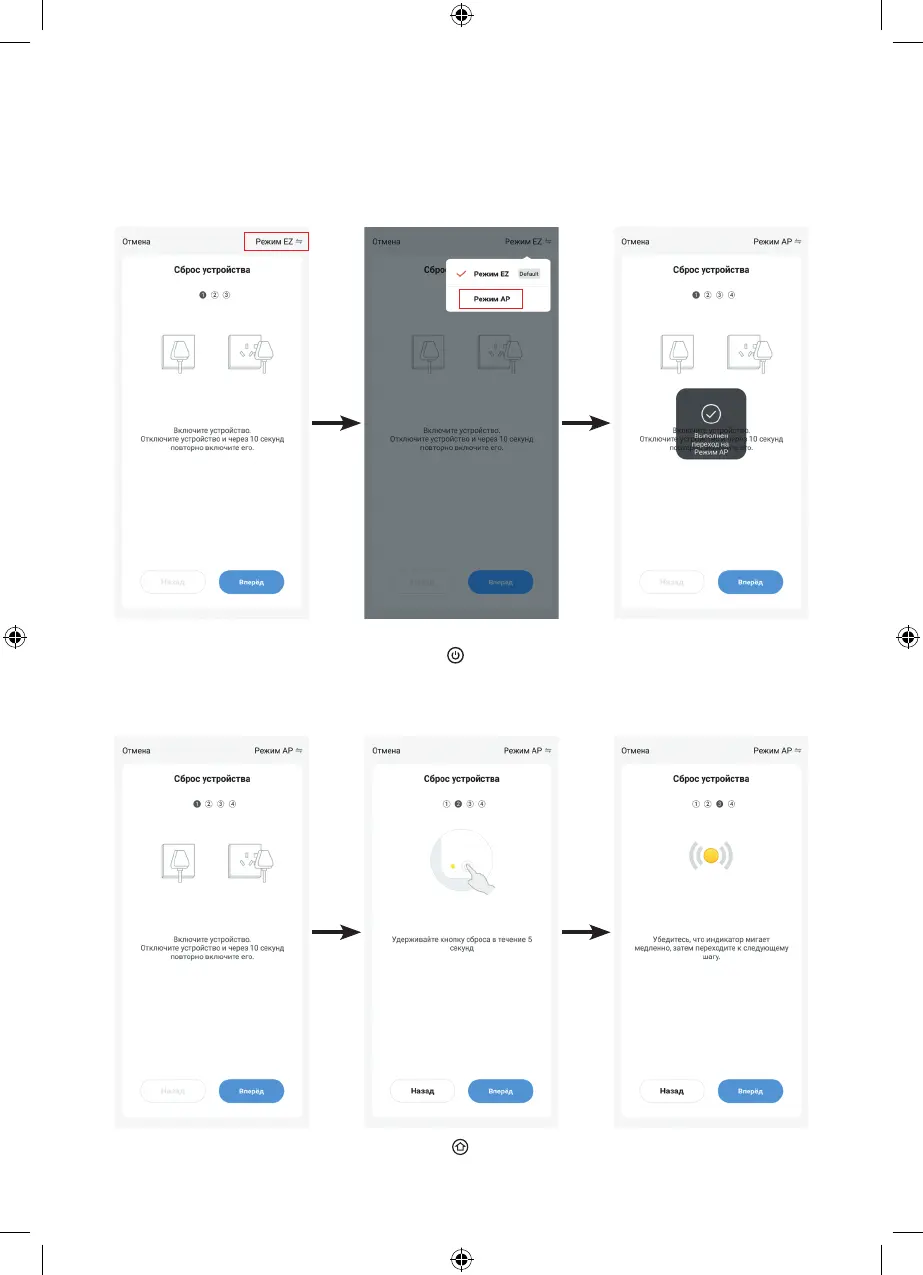
On the next page of the mobile application, select the connection mode to the Wi-Fi hotspot
of the vacuum cleaner, to do this, first click «EZ Mode» and then click «AP Mode», a page with
a confirmation icon will appear on the display, then click «Next» and go to the «Reset device» page.


 To Next Page