Preparing the Camera
is not enough to support the normal operation of the camera. We
recommend high-performance alkaline batteries (not supplied).
■ Never install different types of batteries or new and old batteries in
the product at the same time.
■ Anytime you load or unload batteries, make sure that the camera is
OFF.
■ An alarm is sounded if the battery charge is too low.
■ Most batteries will lose their activity when working at low
temperatures, causing a potential camera failure. Put the camera
indoors and it will return to work normally.
2.3. Inserting the memory card
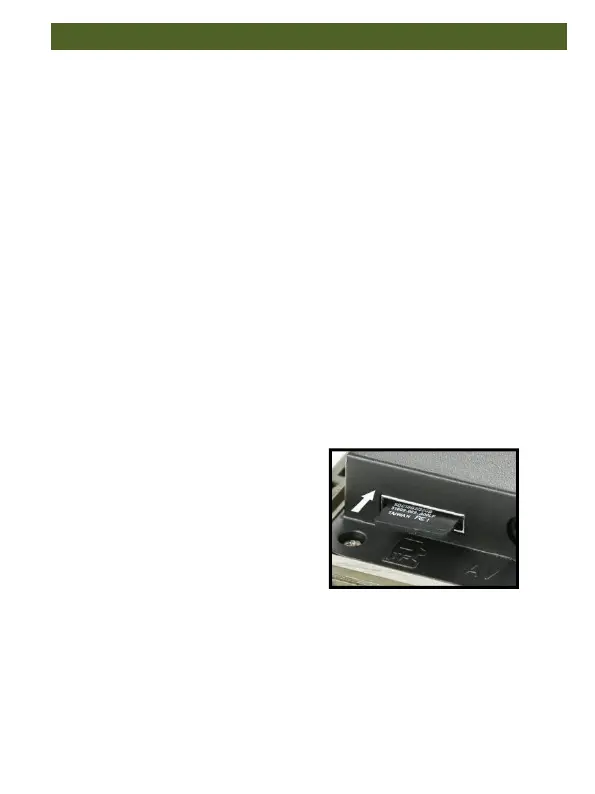
A memory card must have been
inserted in order to save photos
(in .jpg format) and videos(in .AVI
format). Insert a TF memory card
in the memory card compartment
before switching on the camera.
Switch OFF the camera. Insert the memory card as shown in the
adjacent illustration. Push the memory card into compartment until it
clicks into place.
To remove the memory card push card in again until it is partly ejected


 To Next Page