OWNER’S MANUAL
|
Always disconnect the air conditioner from the electricity mains before cleaning
or draining.
To maximize the ef• ciency of the air conditioner, clean regularly.
Cleaning the housing
• Use a soft, damp cloth to wipe the body clean.
• Never use aggressive chemicals, spirits, detergents, chemically treated cloths, or
other cleansing solutions. These substances could possibly damage the cabinet.
MAINTENANCE
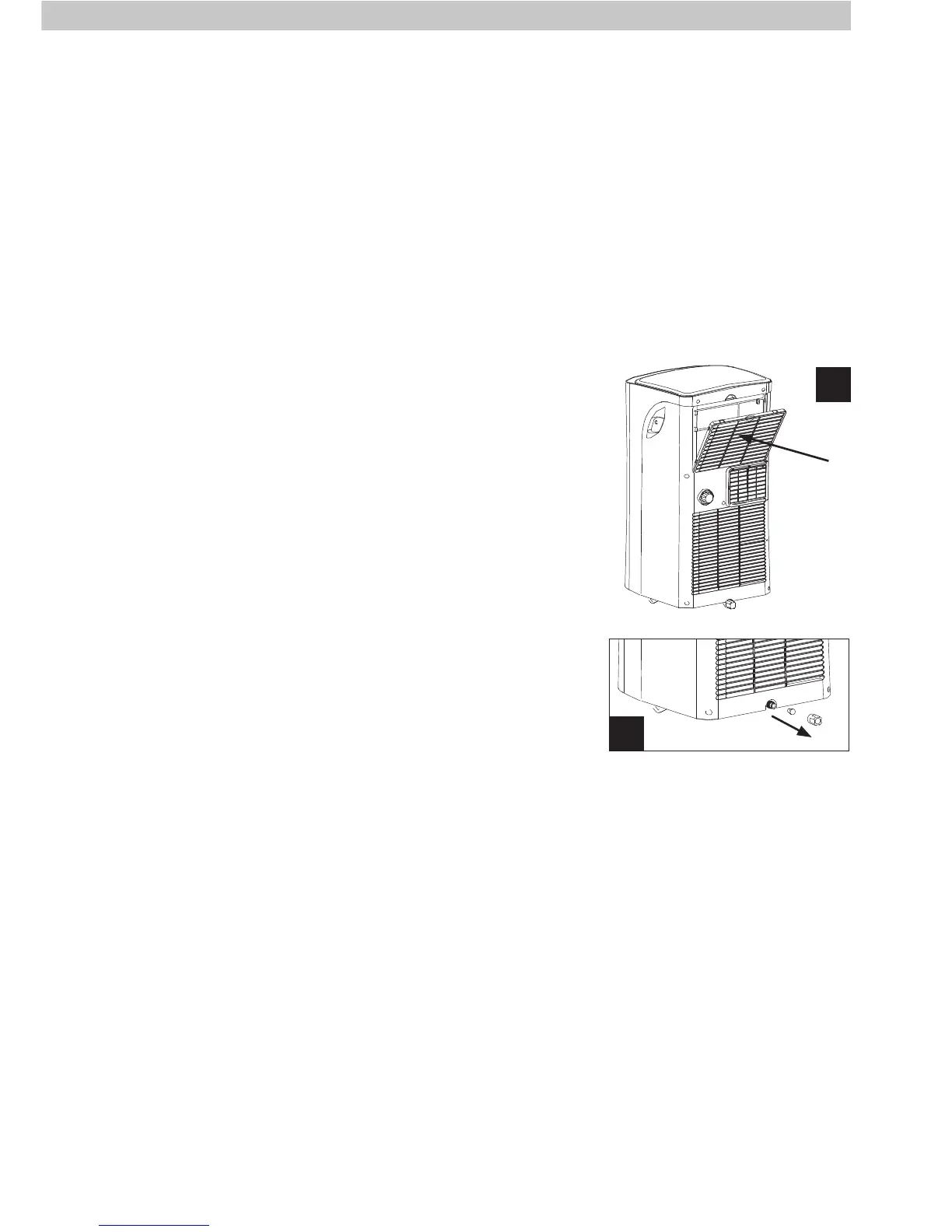
Cleaning the fi lters
1. Remove the • lter from the top of the air conditioner as
shown (Fig. 13).
2. Use a vacuum cleaner or tap the • lter lightly to
remove loose dust and dirt and then rinse under
running water (no hotter than 40°C).
3. Dry thoroughly before replacing.
4. Take care to replace the • lter back into the slot in the
air conditioner.
Note! Never operate the air conditioner without the • lter.
Draining the Air Conditioner
Place the air conditioner over a drain point. Unscrew the
cap and remove the drain plug at the bottom rear of the
air conditioner (Fig. 14). Water will fl ow out as soon as
the plug is removed. Allow the tank to completely drain
before replacing the drain plug and cap.
End of season storage:
1. Drain any water from the unit.
2. Operate the unit in fan mode for a few hours, to thoroughly dry the inside.
3. Clean or change the fi lter.
4. Unplug and carefully store the power cord and plug end.
5. Replace in the original carton or cover for storage.
13
Filter
9
14



 To Next Page