CM3000
|
6
REMOTE CONTROL
Preparation Before Operation
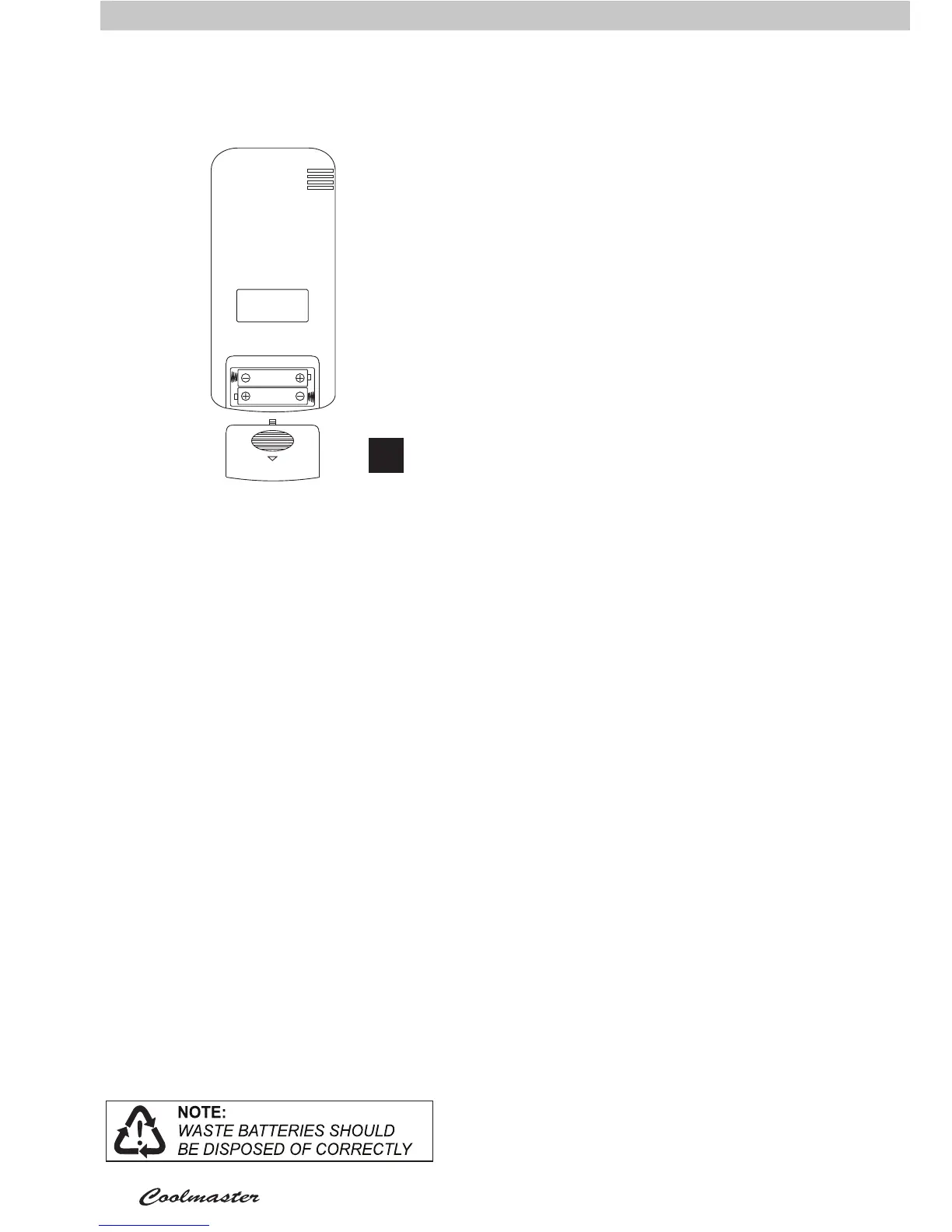
Remove the battery cover and insert new
batteries (AAA), making sure the + and
- match the compartment markings (Fig
12).
During Operation
If the remote control will not operate the
air conditioner, the batteries may need to
be replaced.
Remove the batteries and replace with
new ones. If this does not solve the
problem contact your nearest service
centre for advice.
Note! The air conditioner must be
plugged in and switched on for the remote
control to operate the air conditioner. To
use, point at the front panel and press
the remote button (Figure 10). The air
conditioner will “beep” when signal
has been received. If there is no beep,
press the remote button again, ensuring
it is within range (6 metres) of the air
conditioner.
Note! If there are two of the same air
conditioners installed, they cannot be
controlled separately. When you operate
either remote, it will turn on both air
conditioners if they are both within signal
range (6 metres).
Care of your Remote Control
Don’t let the remote control drop onto
hard surfaces or be subjected to sudden
shocks of any form. The warranty does
not cover misuse or accidental damage.
Don’t place the remote control in direct
sunlight, or near extremes of temperature.
Don’t allow the remote control to get wet.
Don’t place near strong electromagnetic
waves.
Don’t mix old and new batteries!
If the remote control will not be used for a
long time, remove the batteries to avoid
corrosion.
Note! The remote will display AUTO
mode. AUTO mode is not applicable for
this model of air conditioner. When AUTO
mode is selected the air conditioner will
make a beeping sound and continue to
operate in COOL mode. Nothing will be
displayed on the air conditioner.
12



 To Next Page