10 of 20 496371 Issue 1
You should see the Power LED glow. If the sounder is connected you
should hear a short tone.
For Systems Containing a 4618-50
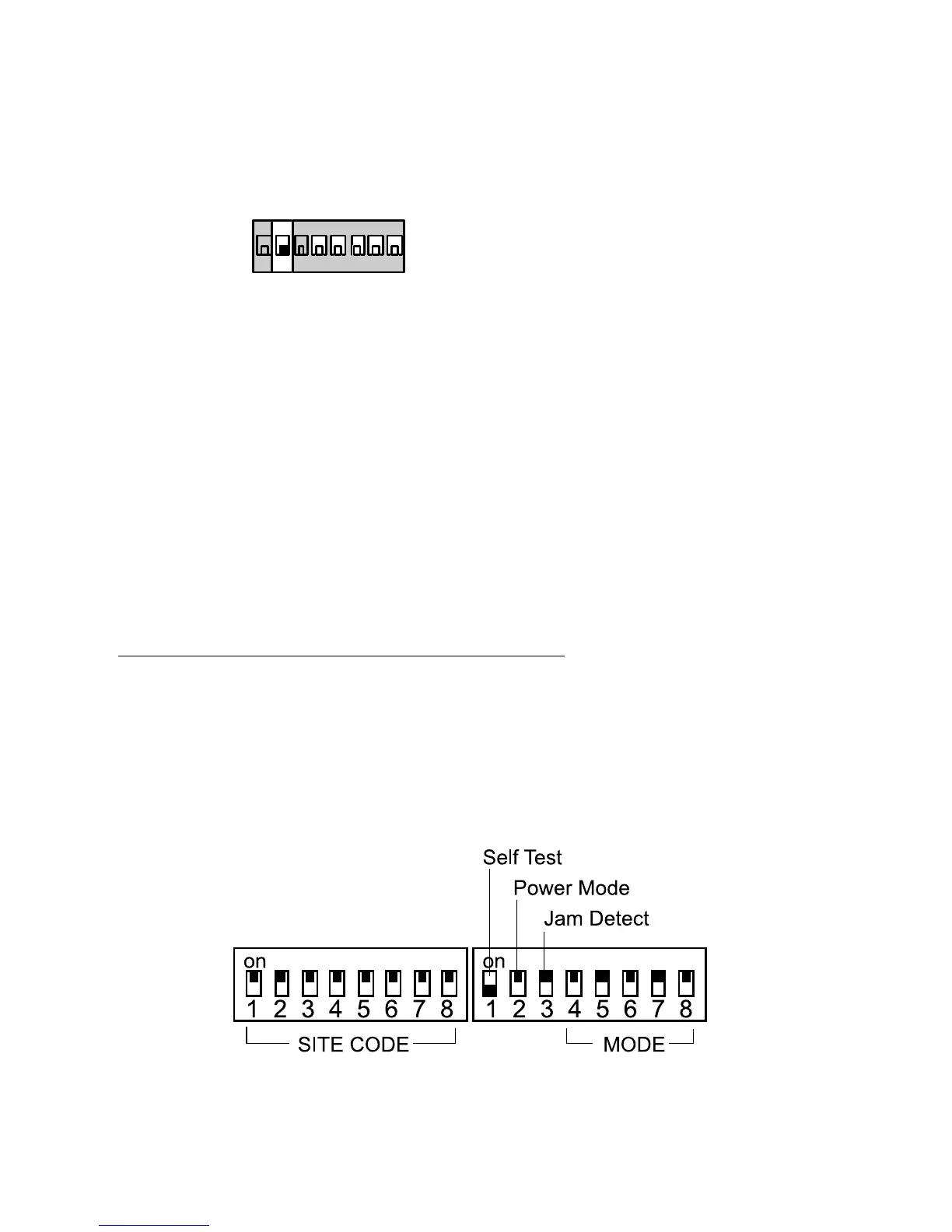
1. For ALL units in the system set Mode Switch 2 (Power Mode)
to OFF:
on
1 2 3 4 5 6 7 8
2. Connect the external 12V supply.
You should see the Power LED glow. If the sounder is connected you
should hear a short tone.
To Connect a Backup Battery
1. Connect the battery lead spade connectors to the battery terminals
(observing polarity)
2. Connect battery lead connector to the Batt. In/Out connector on the
main circuit card.
Note: If the sounder gives a continuous tone when you apply power then the mode
switches are set to an unacceptable mode number. The 8-channel LEDs will
also show a running pattern of flashes. Set the Mode Switches to the required
mode for your application.
Setting Up Receiver And Transmitters
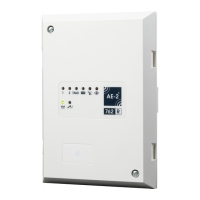
To make the 46RX family operate correctly you must set two groups of
switches:
1. The site code switch on both the transmitters and the 46RX family
receiver to the same pattern.
2. The mode switch on the 46RX family receiver to the correct mode.
Figure 4 shows the switches in more detail.
Figure 9. Site Switch and Mode Switch
Setting Up Receivers and Transmitters 4618


 To Next Page