8 of 20 496371 Issue 1
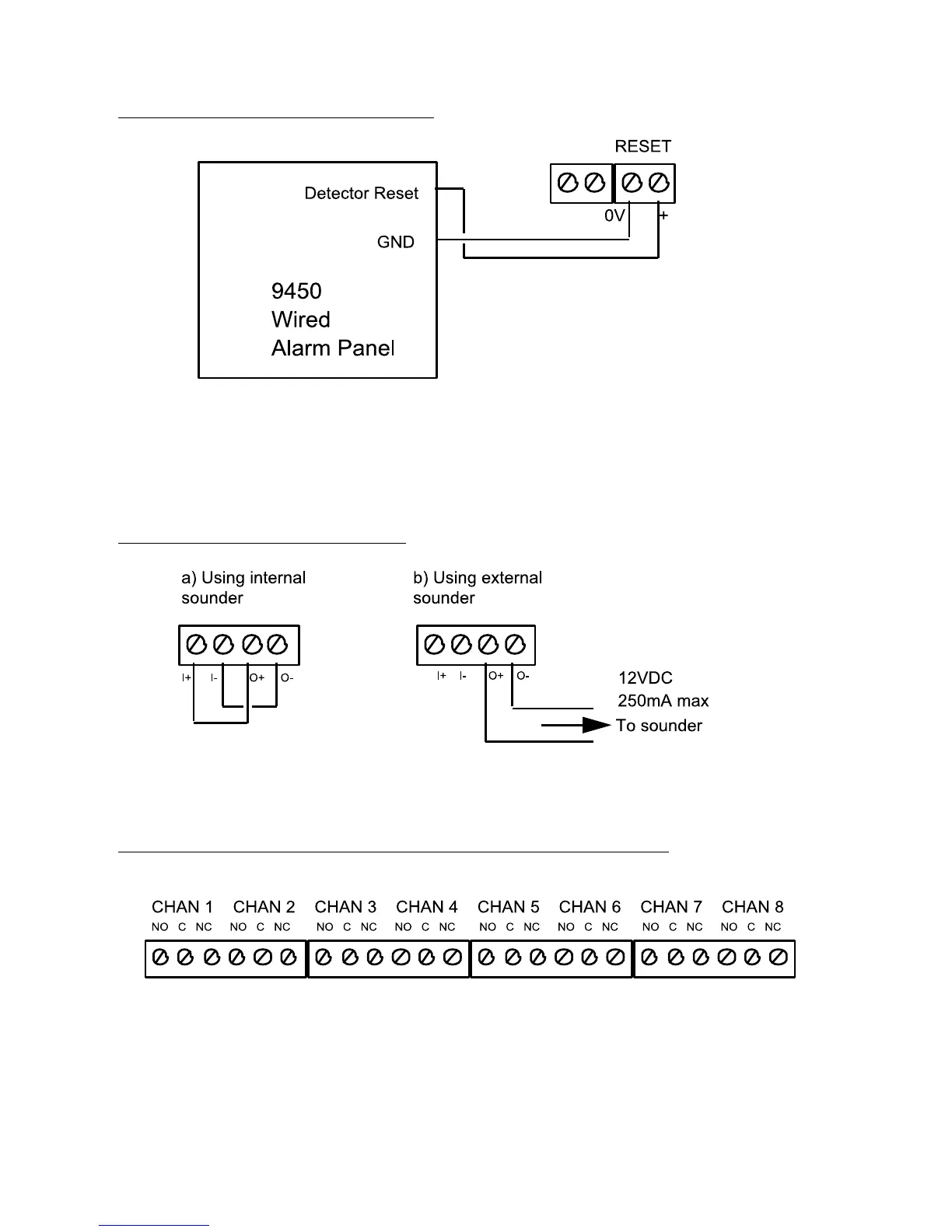
External Reset Connection
Figure 5. External Reset Connection.
When the user starts the control panel exit timer the Detector Reset output
removes the positive feed for six seconds. This clears the latched channels.
Connecting the Sounder
Figure 6. Sounder Connection.
Connecting the Optional 8-Channel Relay Card
Figure 7 shows the connectors available on the optional 8-channel relay card.
Figure 7. Optional 8-Channel Relay Card Connectors.
External Reset Connection 4618


 To Next Page