496371 Issue 1 9 of 20
Expansion Units
Installation
4619-50 expansion units are supplied with an 80 cm cable to connect them to
a 4618-50 or 4618-60. Ensure that you position expansion units close
enough to the 4618-50 or 4618-60 so that the cable can connect them both.
NOTE: Do not attempt to modify the cable supplied, or use a substitute.
Connection
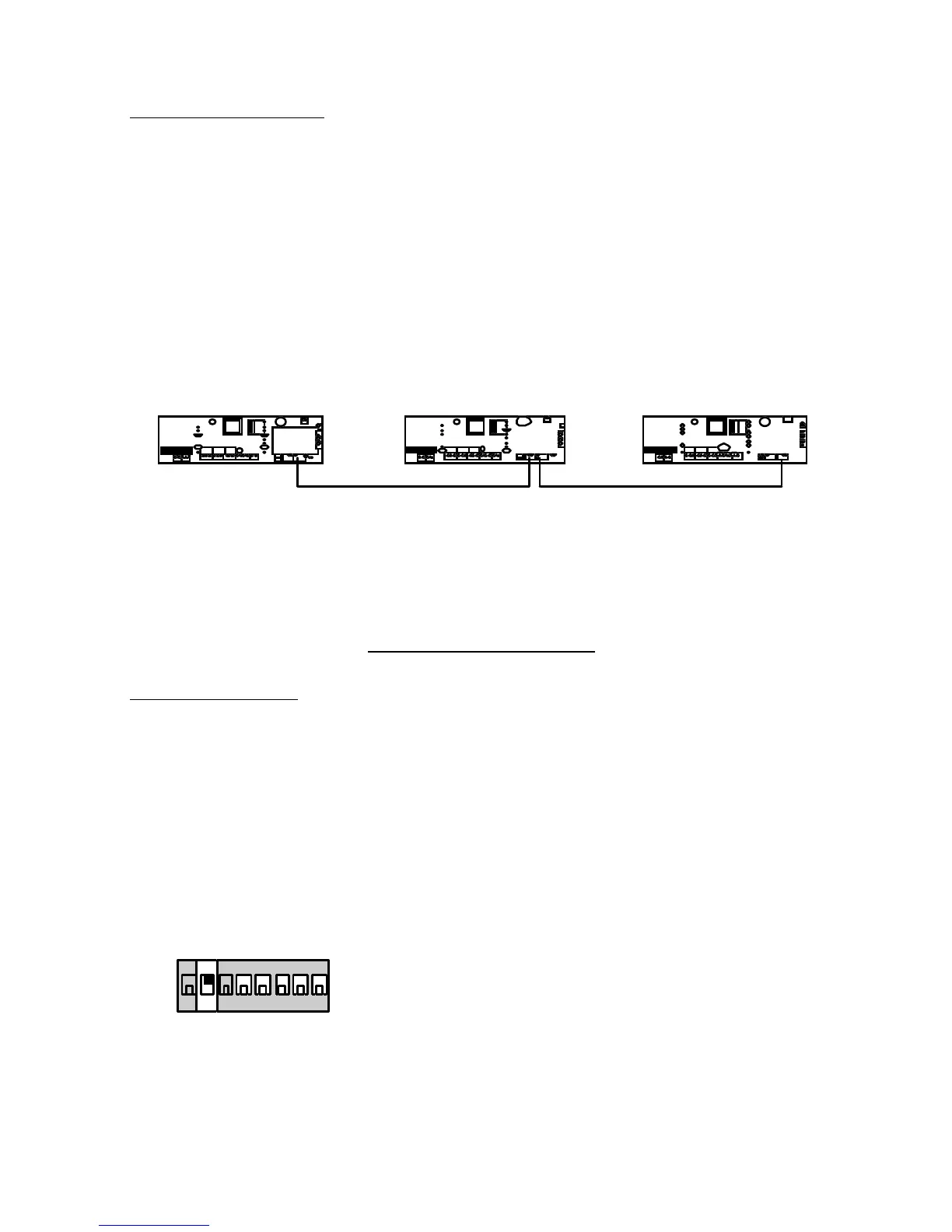
The recommended method of connecting 4618-50/60 and 4619 is to "daisy-
chain" them together, as shown in Figure 8.
4618-50 4619-50 4619-50
Figure 8. Connecting Expansion Units.
You can connect the units in any order. Use Exp 1, Exp 2, or both connectors
in any unit.
PROGRAMMING
Initial Start Up
Before applying power to the system make sure all expansion units are
installed and connected.
For Systems Using a 4618-60:
NOTE: When installing the equipment for the first time at a new site, for a 4618-60
connect the mains power first and then the battery. At subsequent mainte-
nance, or re-installations at existing sites, connect the battery first and then the
supply. The instructions below assume that you are installing the equipment at
a new site.
1. For ALL units in the system set Mode Switch 2 (Power Mode) ON:
on
1 2 3 4 5 6 7 8
2. Make sure the power lead from the transformer is plugged into the 4618
AC Power Input connector on the circuit card.
3. Wire in the mains power supply from a non-switched, fused (1A rating),
spur point.
4618 Expansion Units


 To Next Page