Page 6
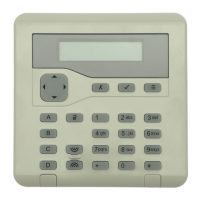
KEY-KP01
Contents
Keypad Controls and Displays .......................................................................................7
KEY-EP External prox reader ........................................................................................7
Compliance ....................................................................................................................7
Siting the Keypad ...........................................................................................................8
Fitting .............................................................................................................................8
Connect Keypad to End Station.....................................................................................8
Cable Type .............................................................................................................9
Cable Segregation..................................................................................................9
Cable Conguration and Length ...........................................................................9
Keypad Connection ...............................................................................................9
Bus Termination at the Keypad ............................................................................9
Keypad Addressing ........................................................................................................9
Backlight Brightness ......................................................................................................9
Tone Volume ................................................................................................................10
KEY-EP External Prox Reader ....................................................................................10
Siting the External Prox Reader .........................................................................10
Opening the External Prox Reader .....................................................................10
Fit External Prox Reader ....................................................................................10
External Prox Reader Connection .......................................................................11
Testing the Keys ............................................................................................................11
Cleaning ........................................................................................................................11
Backlight, ABCD LEDs and Navigation Key LEDs ......................................................11
Entering Local Programming Mode .............................................................................11
To Switch ABCD LEDs ON or OFF .............................................................................. 12
To Change Backlight Settings ...................................................................................... 12
To Disable/Enable the Status OK LED ......................................................................12
To Disable/Enable the Status Fault LED .................................................................... 13
To Leave Local Programming Mode and Save Changes ............................................. 13
To Leave Local Programming Mode and Discard Changes ........................................ 13
External Prox Reader LED .......................................................................................... 13


 To Next Page